> ## Documentation Index
> Fetch the complete documentation index at: https://docs.doko-ai.com/llms.txt
> Use this file to discover all available pages before exploring further.

# Instagram

> Integrieren Sie Ihren Chatbot mit Instagram für ein nahtloses Benutzererlebnis.

## Video-Anleitung

<Card title="Anleitung ansehen" icon="youtube" href="https://youtu.be/MQo6b_1Nfrs">
  Sehen Sie sich die Anleitung an, um Ihren Chatbot mit Facebook zu integrieren.
</Card>

[Erstellen Sie hier Ihren Chatbot](https://doko-ai.com/de/sign-up)

### Voraussetzungen

Meta Business-Konto

* Sie benötigen ein Meta Business-Konto, um Ihr professionelles Instagram-Konto zu verwalten
  Facebook-Seite
* Eine aktive Facebook-Seite, die Sie verwalten
  Professionelles Instagram-Konto
* Ihr Instagram-Konto muss in ein professionelles Konto (Business oder Creator) umgewandelt werden
* Mit Ihrer Facebook-Seite verbunden

<Note>Wenn Sie weitere Informationen benötigen [Erstellen Sie ein Meta Business-Konto](https://www.facebook.com/business/help/898752960195806) </Note>

<Steps>
  <Step>
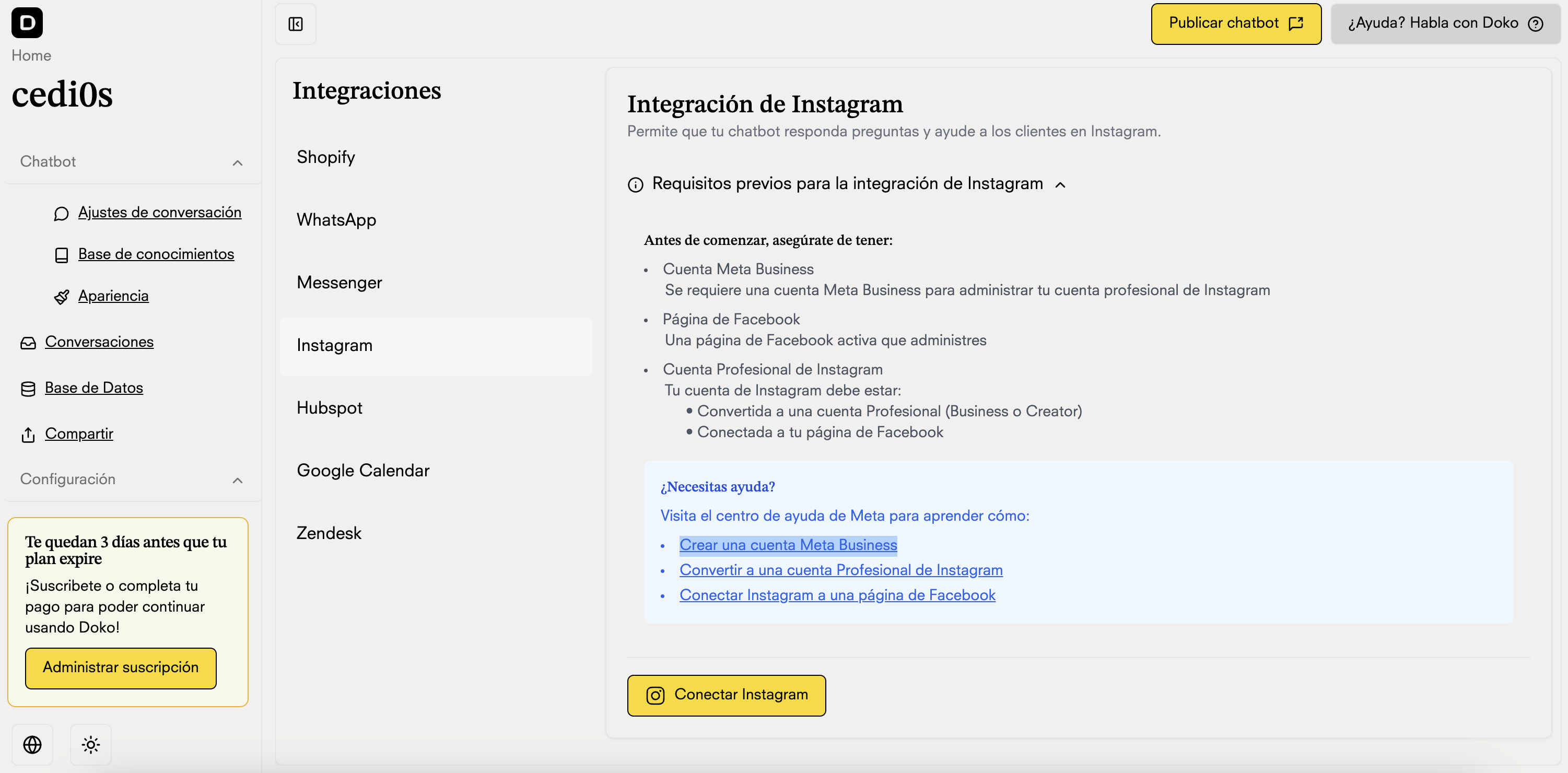
    <h3>Gehen Sie zu Integrationen in Ihrem Chatbot-Portal</h3>

    <Frame>
      <img src="https://mintcdn.com/doko/pKbjWpjWFDIh-Q-V/images/integraciones.ig.png?fit=max&auto=format&n=pKbjWpjWFDIh-Q-V&q=85&s=2a77713e2ca1f89659950e1d9a7d4eaa" alt="Integrationen" width="3002" height="1480" data-path="images/integraciones.ig.png" />
    </Frame>
  </Step>

  <Step>
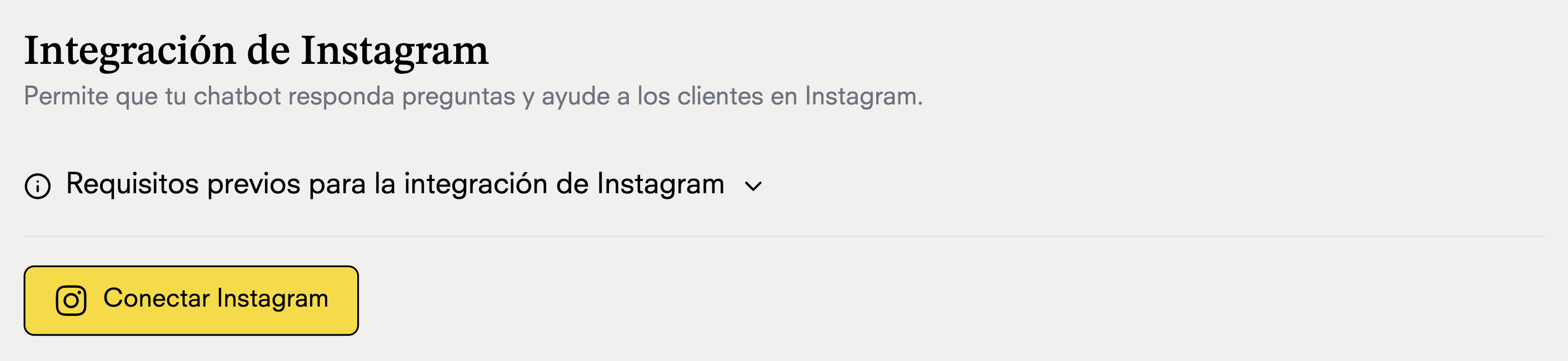
    <h3>Verbinden Sie Ihr Instagram-Konto mit Doko</h3>

    <Frame>
      <img src="https://mintcdn.com/doko/wNz10e2dI8HDdsq4/images/conectar-ig.png?fit=max&auto=format&n=wNz10e2dI8HDdsq4&q=85&s=abf21699f7a066a98ebfbadc43704f6c" alt="FB-Sitzung" width="2822" height="650" data-path="images/conectar-ig.png" />
    </Frame>
  </Step>

  <Step>
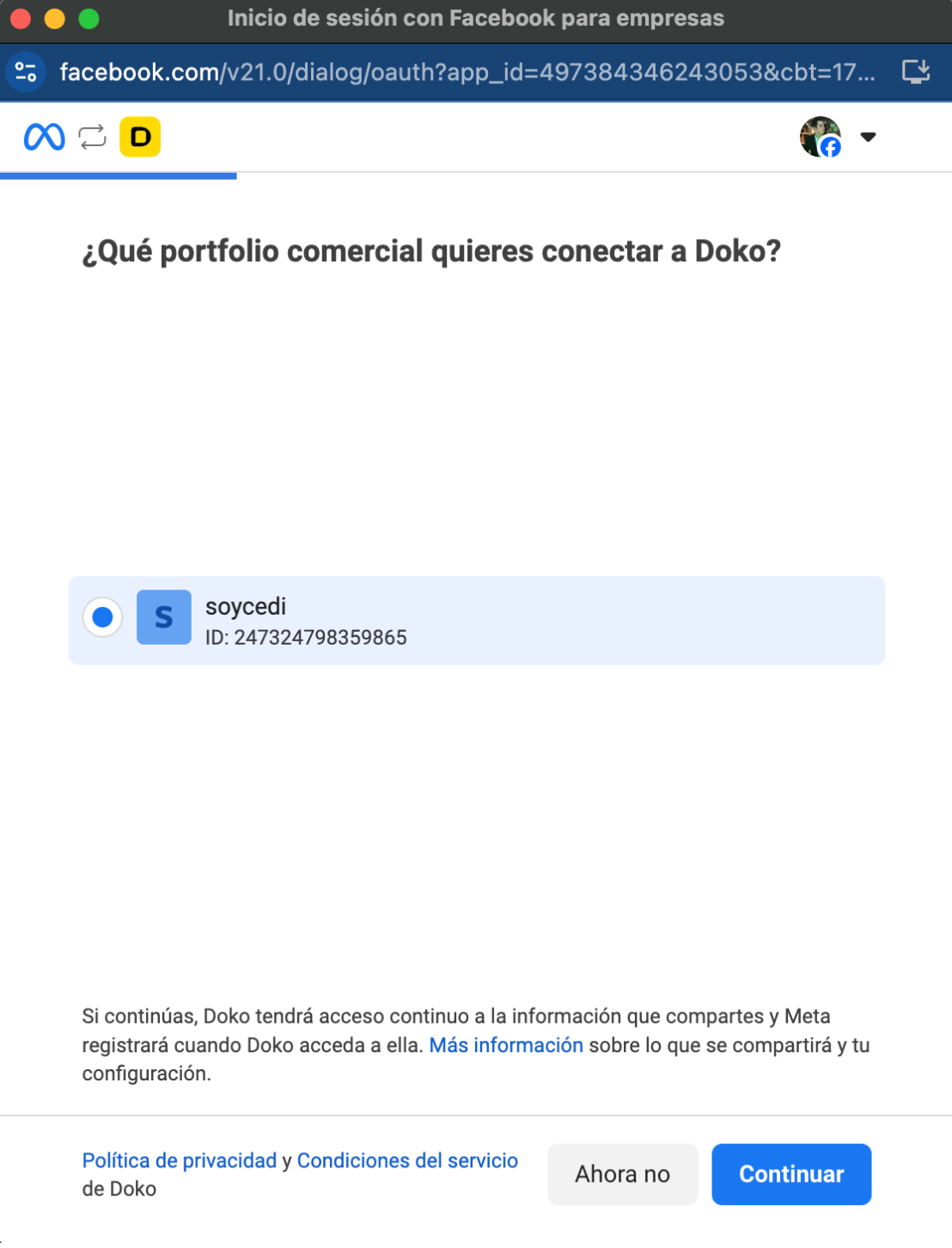
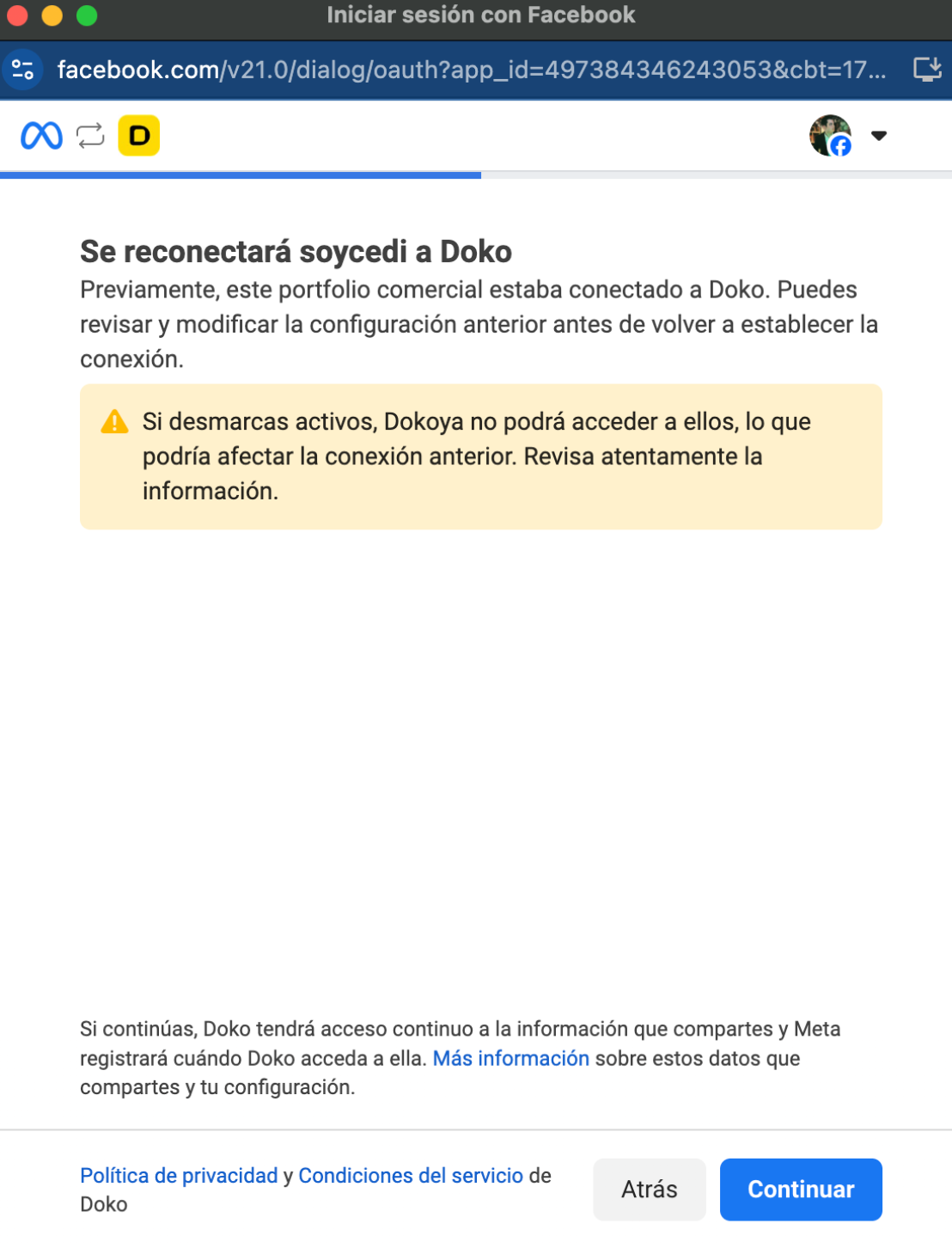
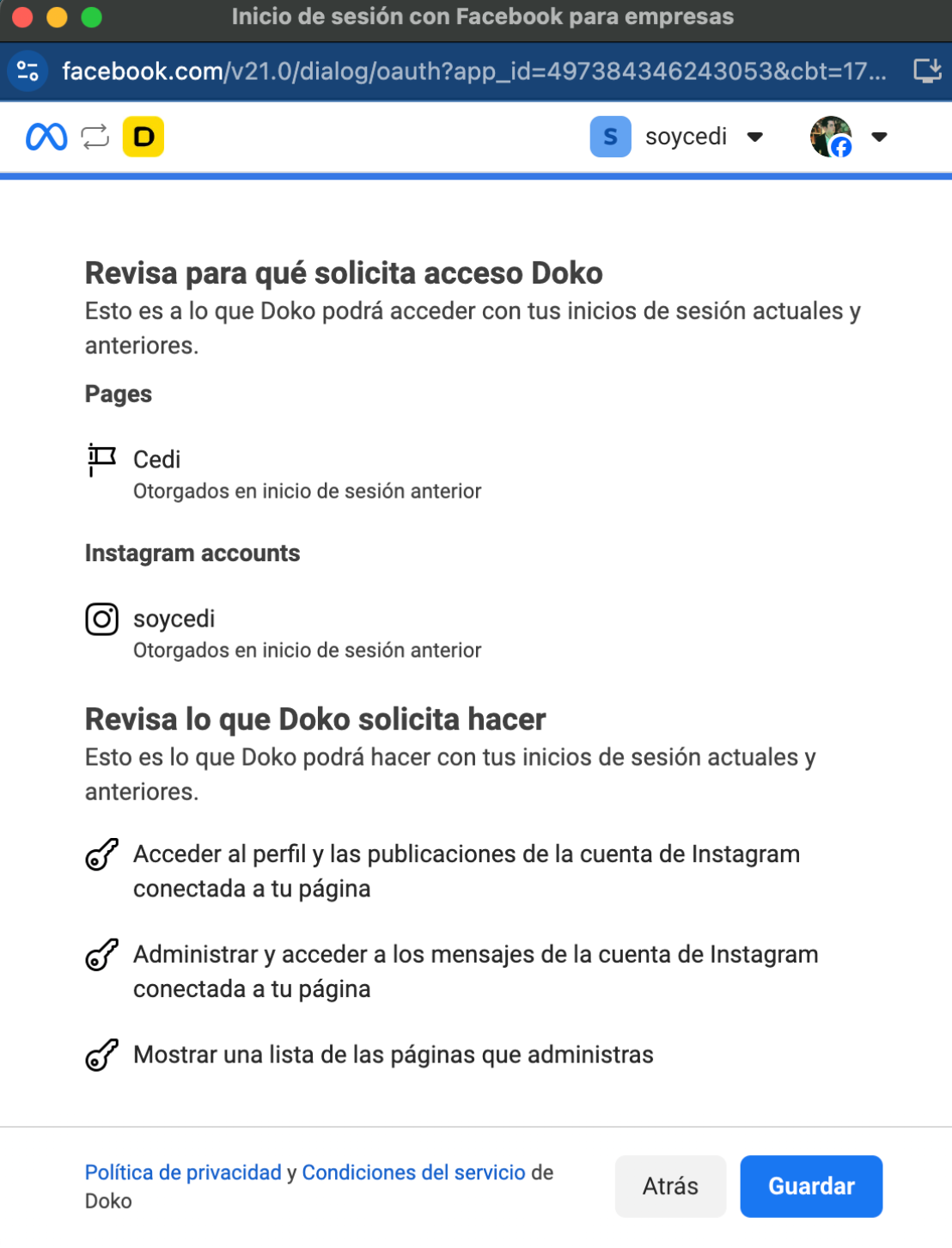
    <h3>Schließen Sie die Facebook-Anmeldung ab</h3>

    <Frame>
      <img src="https://mintcdn.com/doko/wNz10e2dI8HDdsq4/images/1-ig.png?fit=max&auto=format&n=wNz10e2dI8HDdsq4&q=85&s=015f1a575305415b8b028f9e63925cf2" alt="FB verbinden" width="1108" height="1452" data-path="images/1-ig.png" />
    </Frame>

    Verbinden Sie Ihr Business-Portfolio

    <Frame>
      <img src="https://mintcdn.com/doko/wNz10e2dI8HDdsq4/images/conectar-pc.png?fit=max&auto=format&n=wNz10e2dI8HDdsq4&q=85&s=4b9ed8d290cb9971cfba28c6ed0899dd" alt="WA verbinden" width="1108" height="1452" data-path="images/conectar-pc.png" />
    </Frame>

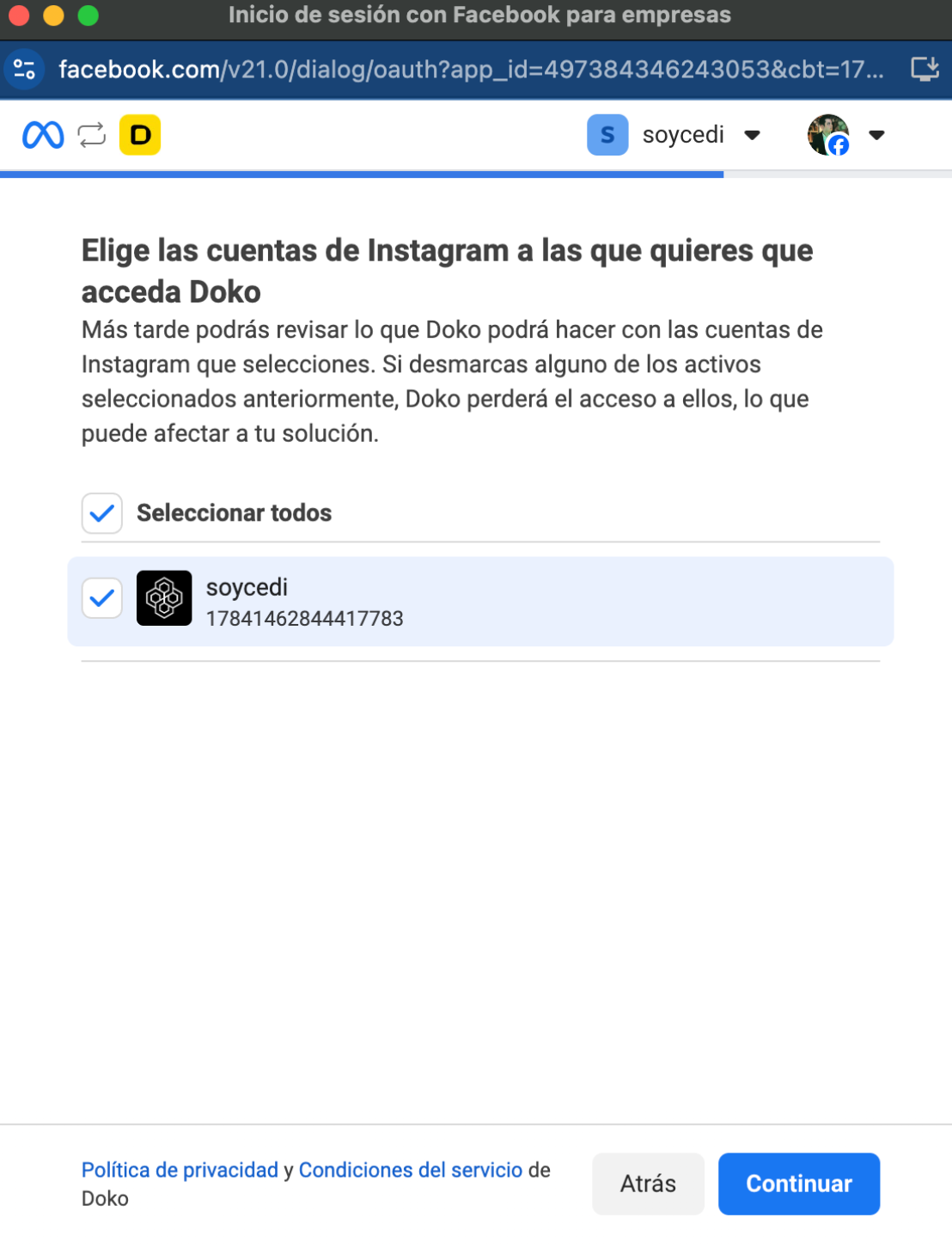
    Wählen Sie die Seite, die Sie verbinden möchten
    <Frame>
      <img src="https://mintcdn.com/doko/wNz10e2dI8HDdsq4/images/3-ig.png?fit=max&auto=format&n=wNz10e2dI8HDdsq4&q=85&s=a65910ced2ddf7ccd5f09b6ef4107df8" alt="WA verbinden" width="1108" height="1452" data-path="images/3-ig.png" />
    </Frame>

    Aktivieren Sie den Zugriff für Doko

    <Frame>
      <img src="https://mintcdn.com/doko/wNz10e2dI8HDdsq4/images/4-ig.png?fit=max&auto=format&n=wNz10e2dI8HDdsq4&q=85&s=01a6174fd3a1dab9fb5893fd34dc01e5" alt="WA verbinden" width="1108" height="1452" data-path="images/4-ig.png" />
    </Frame>
  </Step>

  <Step>
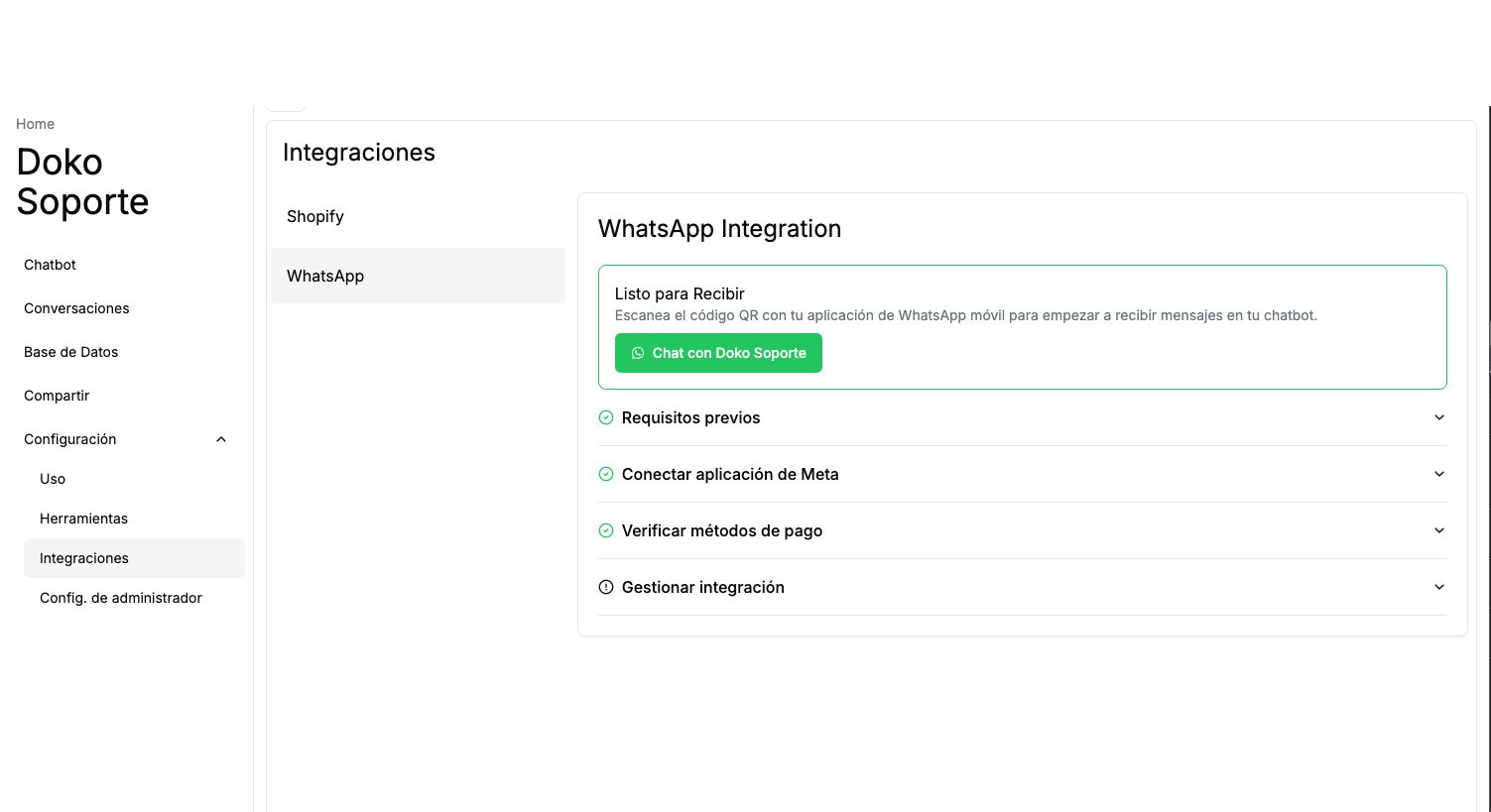
    <h3>Beginnen Sie mit Ihrem Chatbot zu sprechen</h3>

    <Frame>
      <img src="https://mintcdn.com/doko/pKbjWpjWFDIh-Q-V/images/habla-bot.png?fit=max&auto=format&n=pKbjWpjWFDIh-Q-V&q=85&s=dd50a81867fa57fa7b6896b59e254bfb" alt="Bot sprechen" width="1503" height="819" data-path="images/habla-bot.png" />
    </Frame>

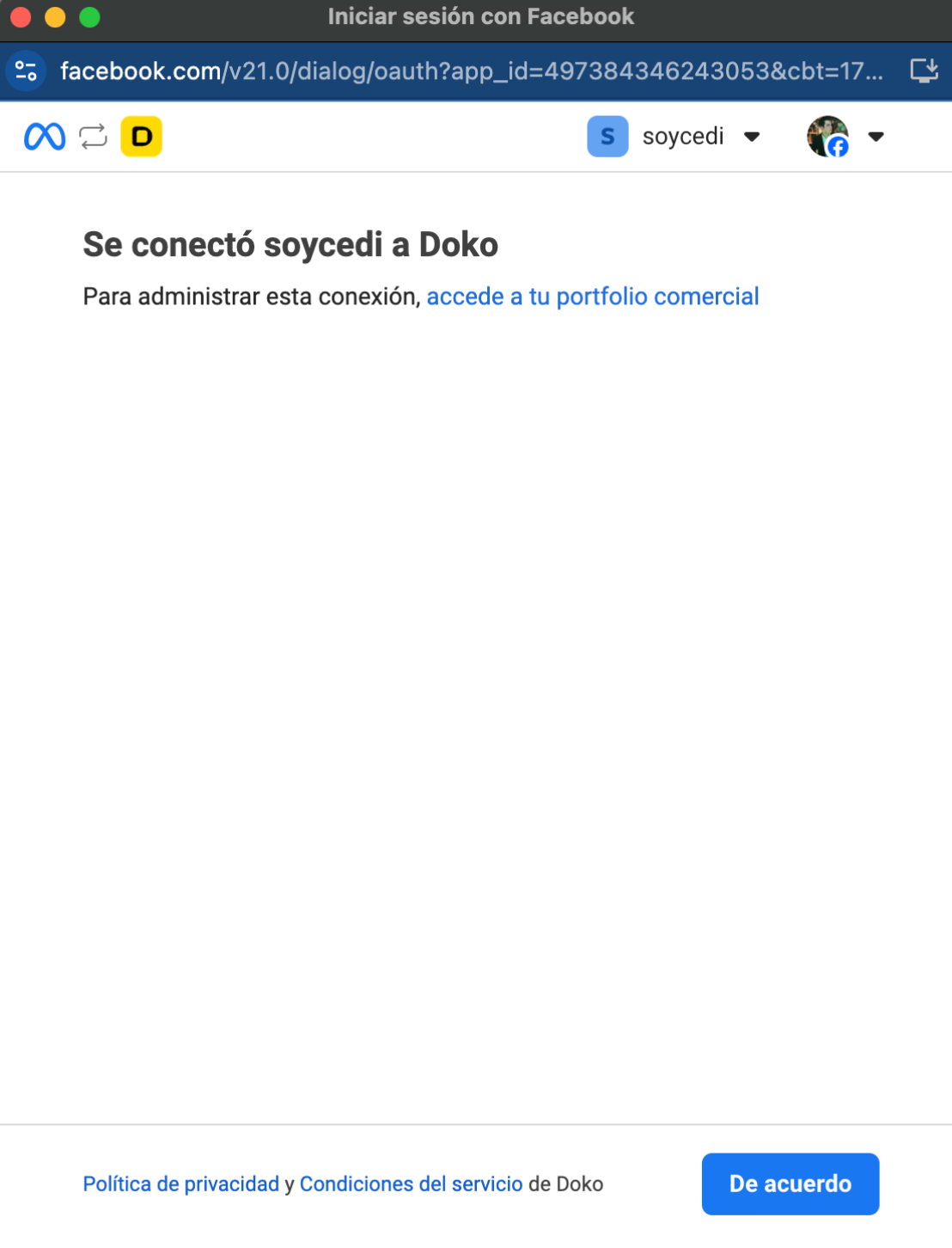
    Schließen Sie die Verbindung ab

    <Frame>
      <img src="https://mintcdn.com/doko/wNz10e2dI8HDdsq4/images/5.png?fit=max&auto=format&n=wNz10e2dI8HDdsq4&q=85&s=275912d14676aac80ae79b6028836e67" alt="WA verbinden" width="1108" height="1452" data-path="images/5.png" />
    </Frame>
  </Step>
</Steps>

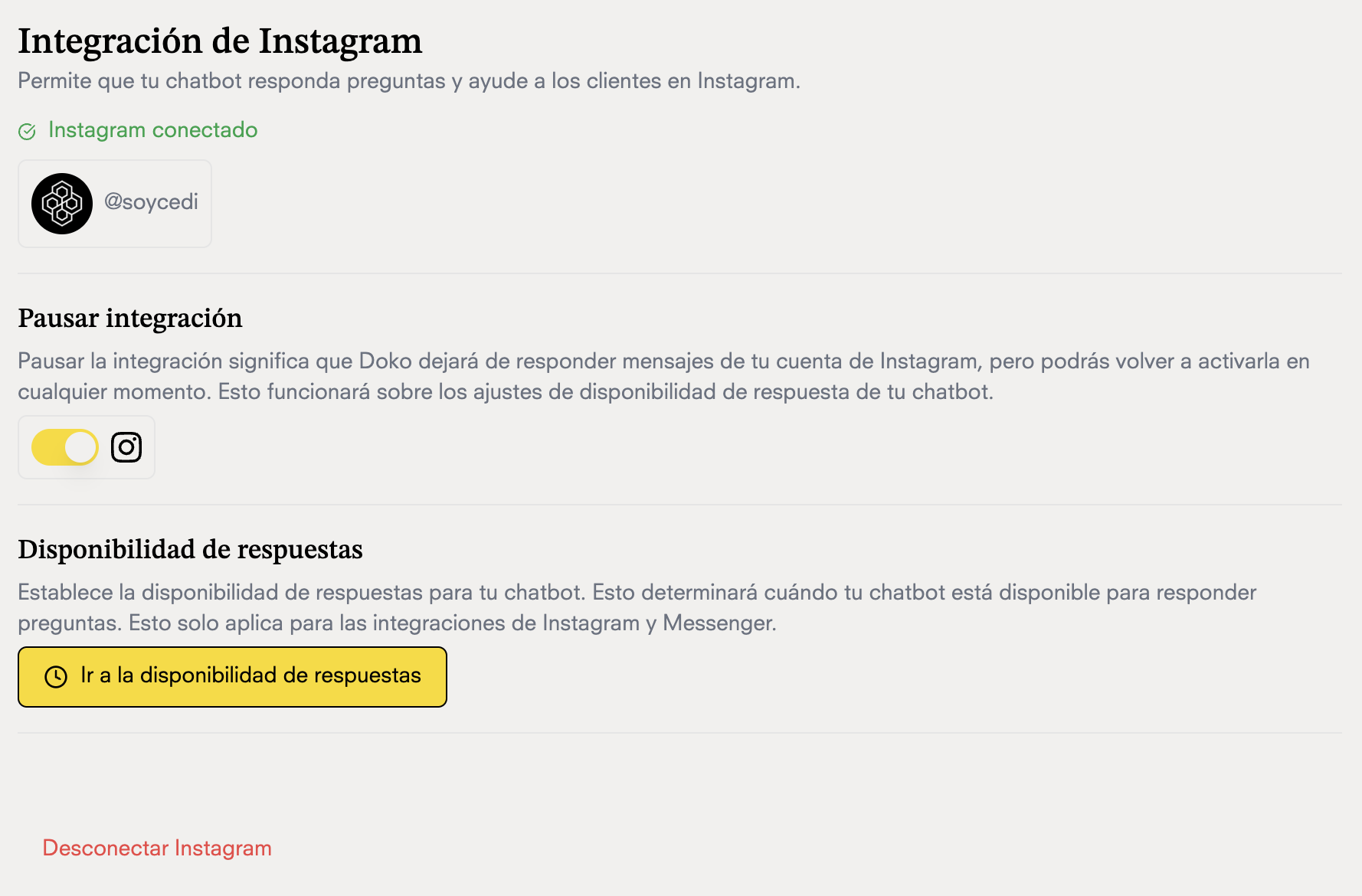
## Chatten Sie mit Ihrem Chatbot

<Frame>
  <img src="https://mintcdn.com/doko/wNz10e2dI8HDdsq4/images/conectado-ig.png?fit=max&auto=format&n=wNz10e2dI8HDdsq4&q=85&s=463b16ba1a037426b11d11cfd9a48a07" alt="WA verbinden" width="1778" height="1170" data-path="images/conectado-ig.png" />
</Frame>