> ## Documentation Index
> Fetch the complete documentation index at: https://docs.doko-ai.com/llms.txt
> Use this file to discover all available pages before exploring further.

# Messenger

> Integrieren Sie Ihren Chatbot mit Facebook für ein nahtloses Benutzererlebnis.

## Video-Anleitung

<Card title="Anleitung ansehen" icon="youtube" href="https://www.youtube.com/watch?v=cmFa3jmDvOg">
  Sehen Sie sich die Anleitung an, um Ihren Chatbot mit Facebook zu integrieren.
</Card>

[Erstellen Sie hier Ihren Chatbot](https://doko-ai.com/de/sign-up)

### Voraussetzungen

1. Erstellen Sie ein Meta Business-Portfolio
   Sie benötigen ein Meta Business-Portfolio, um die Facebook-Integration nutzen zu können.

Sie können ein Business-Portfolio unter [Meta for Business](https://www.facebook.com/business/help/1710077379203657) erstellen.

2. Holen Sie sich eine eindeutige Telefonnummer für diesen Chatbot

Sie benötigen eine Telefonnummer, die noch nicht mit WhatsApp Business verwendet wurde.

<Steps>
  <Step>
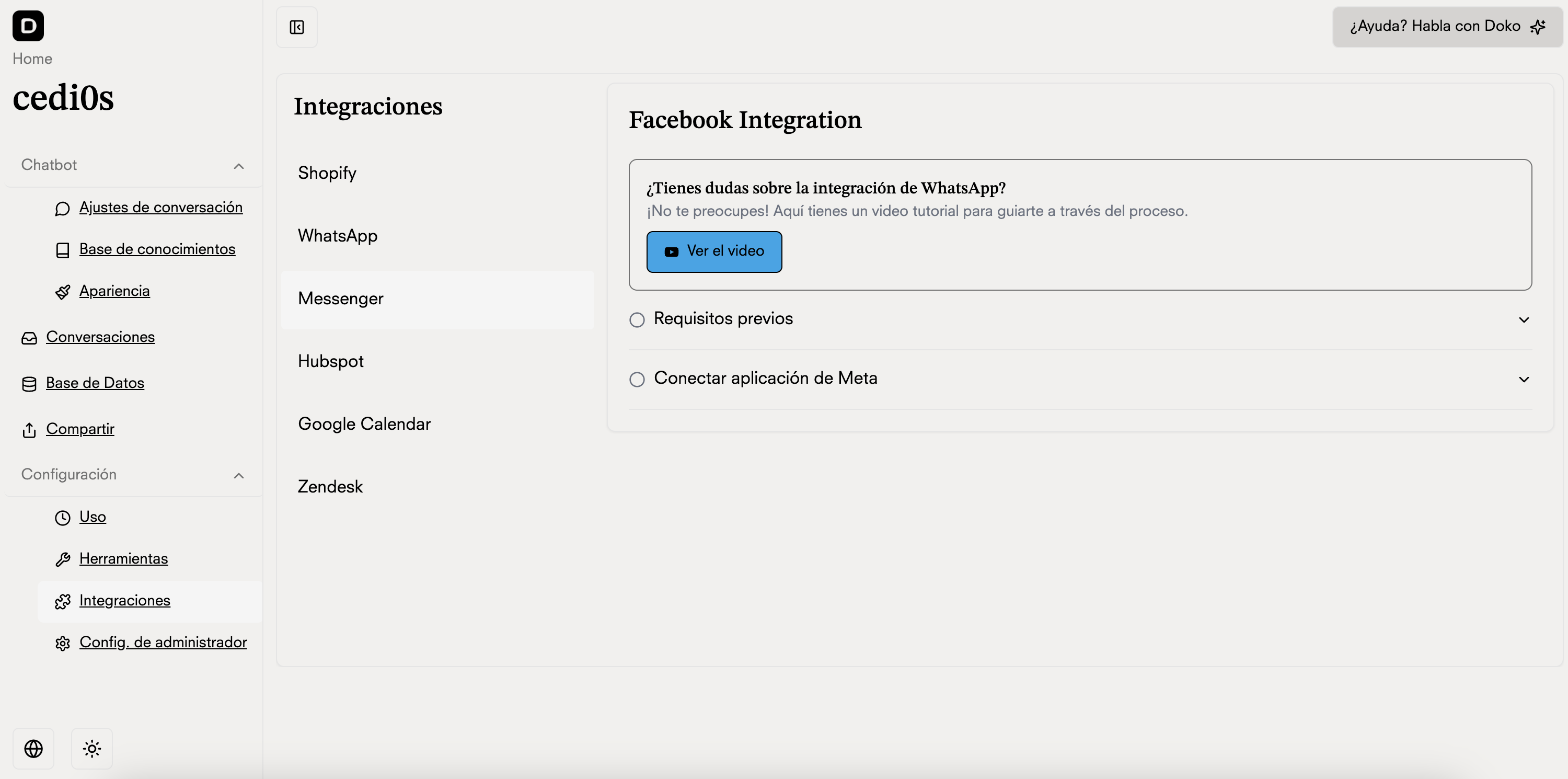
    <h3>Gehen Sie zu Integrationen in Ihrem Chatbot-Portal</h3>

    <Frame>
      <img src="https://mintcdn.com/doko/pKbjWpjWFDIh-Q-V/images/integraciones-messenger.png?fit=max&auto=format&n=pKbjWpjWFDIh-Q-V&q=85&s=2f478242284b2f5d91931f5f7f65d803" alt="Integrationen" width="3000" height="1490" data-path="images/integraciones-messenger.png" />
    </Frame>
  </Step>

  <Step>
    <h3>Verbinden Sie Ihr Meta Business-Portfolio mit Doko</h3>

    <Frame>
      <img src="https://mintcdn.com/doko/-p4Q5Mr8bh5M5OS8/images/messenger-boton.png?fit=max&auto=format&n=-p4Q5Mr8bh5M5OS8&q=85&s=e92f103397f0815e39d6987c6e13da35" alt="FB-Sitzung" width="1780" height="320" data-path="images/messenger-boton.png" />
    </Frame>
  </Step>

  <Step>
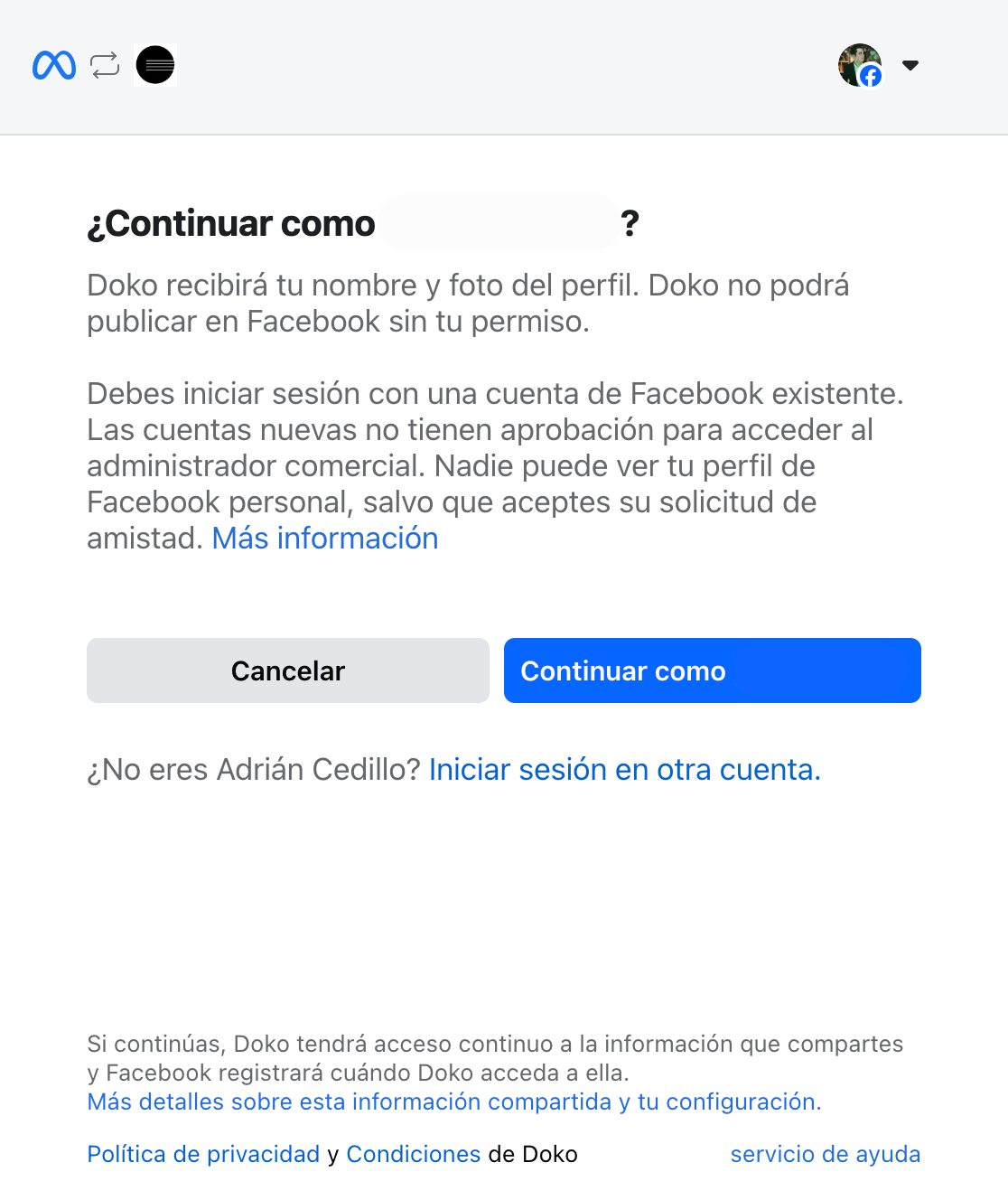
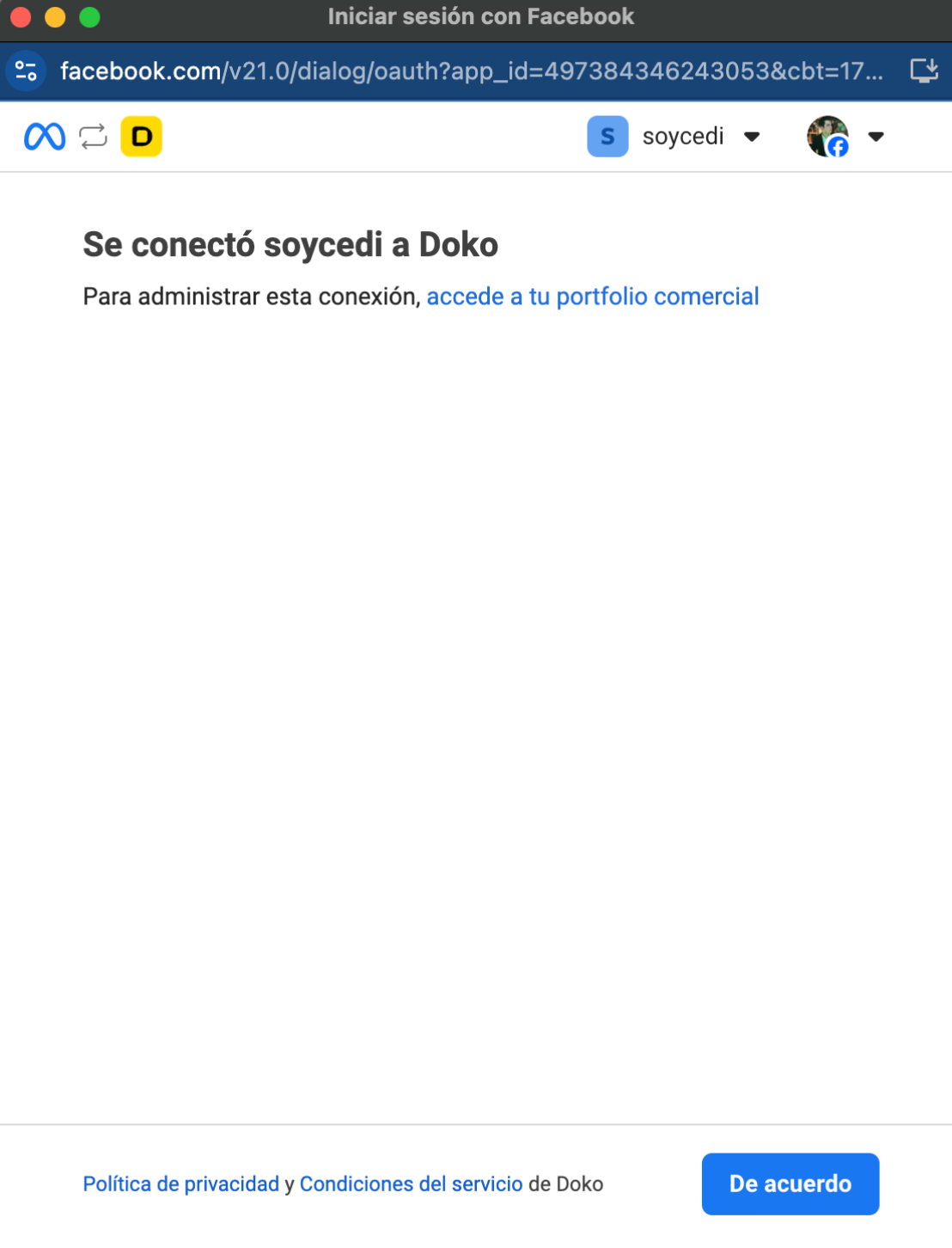
    <h3>Schließen Sie die Facebook-Anmeldung ab</h3>

    <Frame>
      <img src="https://mintcdn.com/doko/0YZZ6sTrgbzUs9Ha/images/integrations/connect-fb.png?fit=max&auto=format&n=0YZZ6sTrgbzUs9Ha&q=85&s=99fbe8b93e0b3cba6bd3eb420be99535" alt="Connect FB" width="1116" height="1328" data-path="images/integrations/connect-fb.png" />
    </Frame>

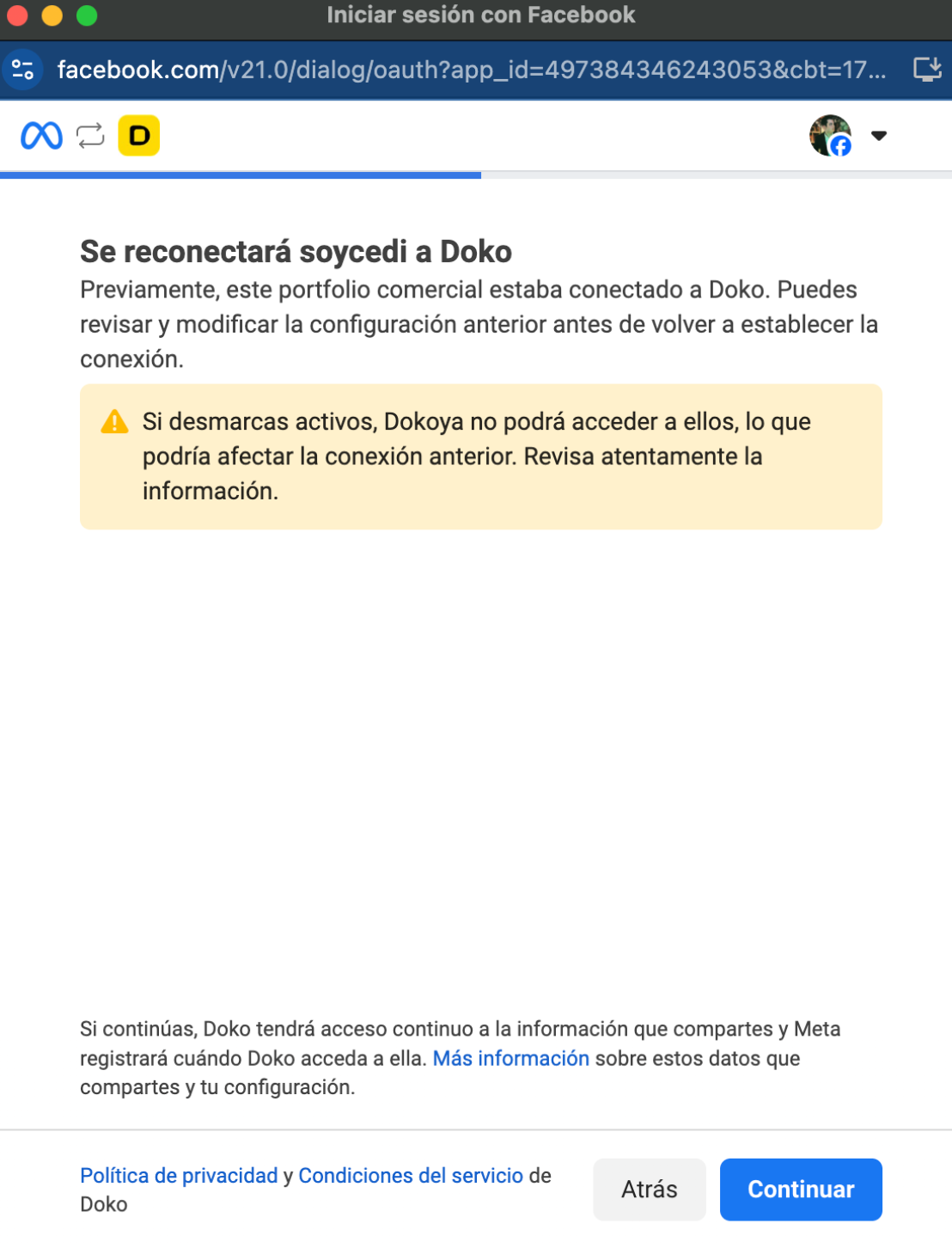
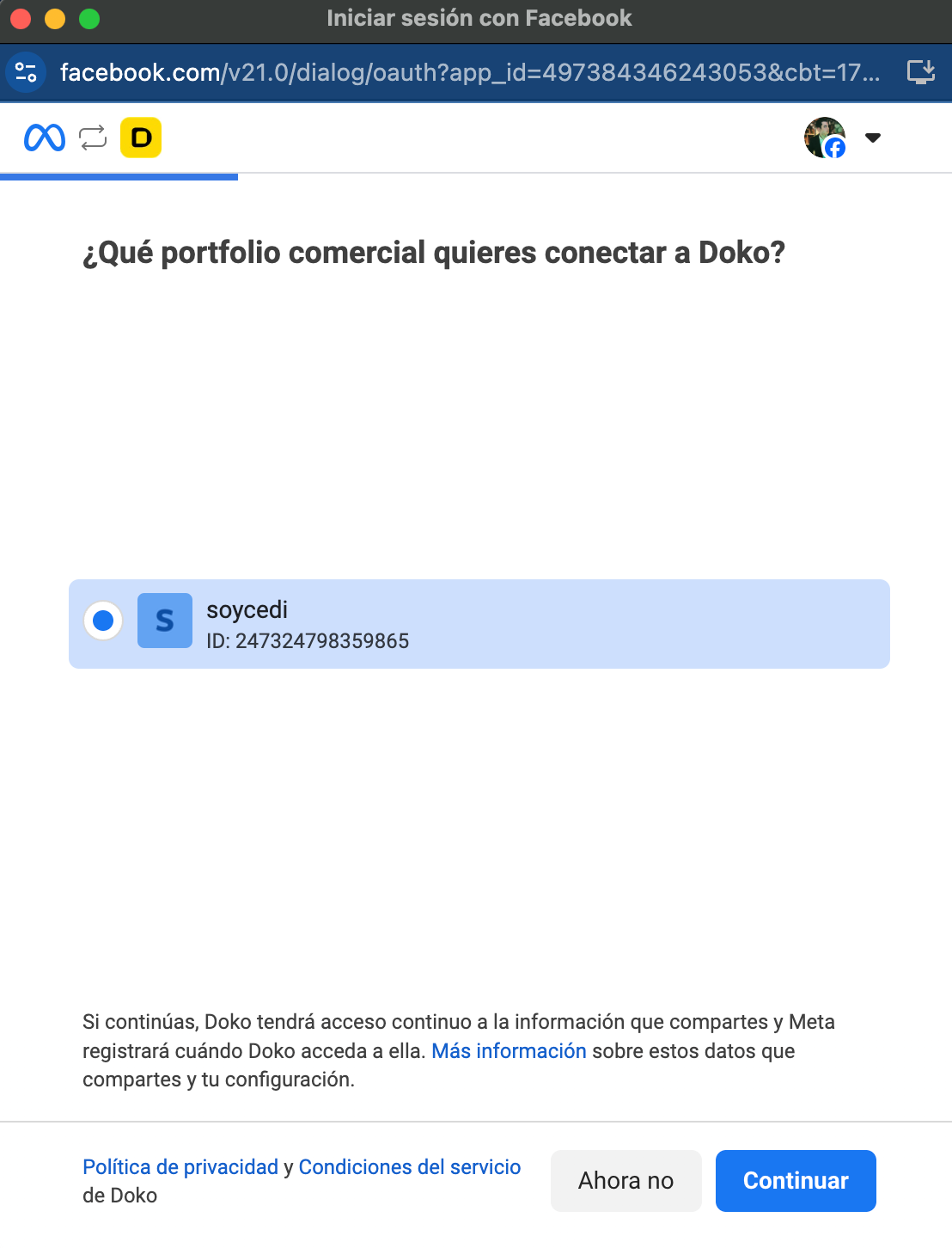
    Wählen Sie Ihre Business-Portfolio-Informationen
    <Frame>
      <img src="https://mintcdn.com/doko/-p4Q5Mr8bh5M5OS8/images/portafolio-messenger.png?fit=max&auto=format&n=-p4Q5Mr8bh5M5OS8&q=85&s=b0e545eb331f27a0902391f137e1e169" alt="Portfolio verbinden" width="1108" height="1452" data-path="images/portafolio-messenger.png" />
    </Frame>

    Verbinden Sie Ihr Business-Portfolio

    <Frame>
      <img src="https://mintcdn.com/doko/wNz10e2dI8HDdsq4/images/conectar-pc.png?fit=max&auto=format&n=wNz10e2dI8HDdsq4&q=85&s=4b9ed8d290cb9971cfba28c6ed0899dd" alt="WA verbinden" width="1108" height="1452" data-path="images/conectar-pc.png" />
    </Frame>

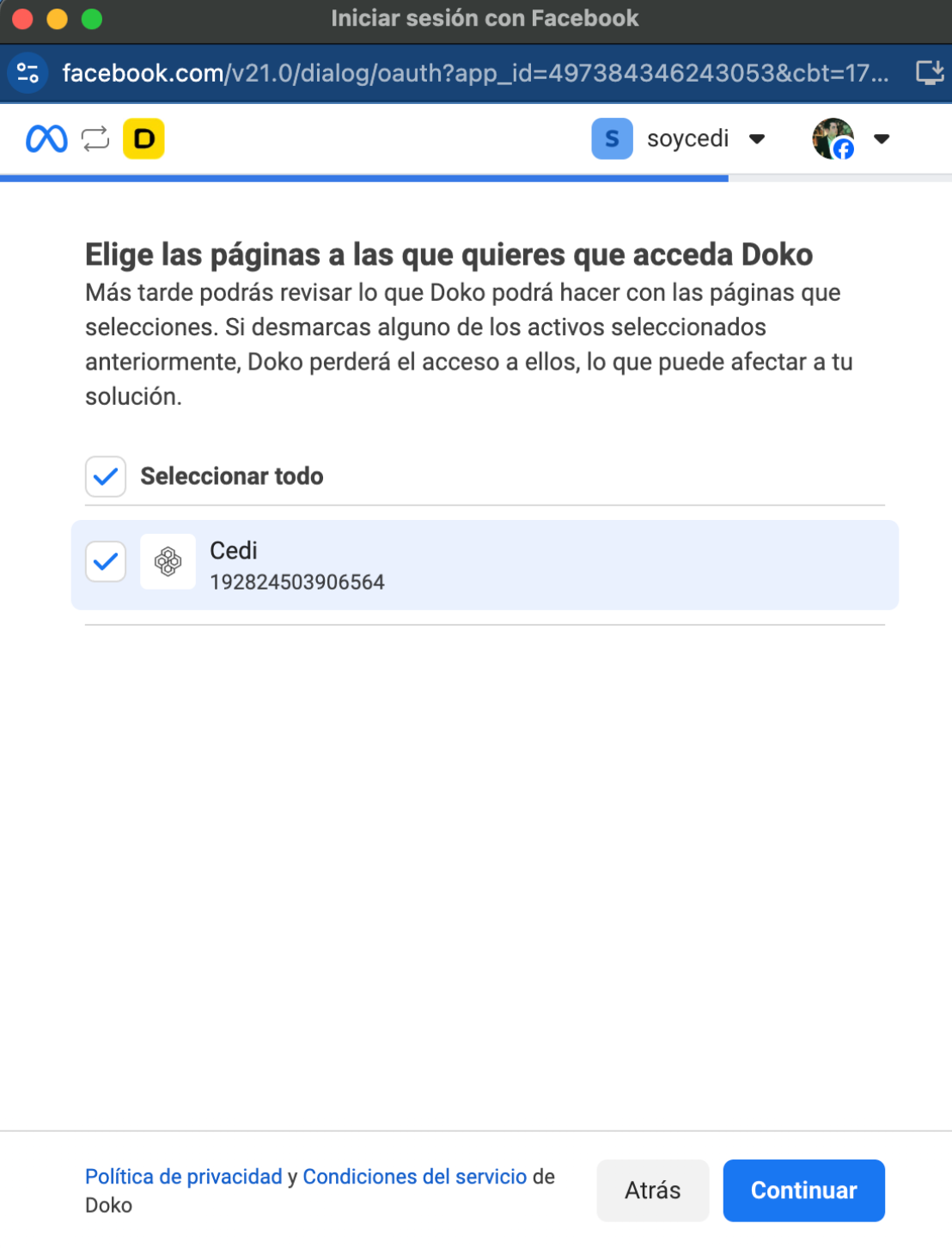
    Wählen Sie die Seite, die Sie verbinden möchten
    <Frame>
      <img src="https://mintcdn.com/doko/pKbjWpjWFDIh-Q-V/images/elegir-pagina.png?fit=max&auto=format&n=pKbjWpjWFDIh-Q-V&q=85&s=0ba9519ad9a1a2d23cae963f2ee9164d" alt="WA verbinden" width="1108" height="1452" data-path="images/elegir-pagina.png" />
    </Frame>

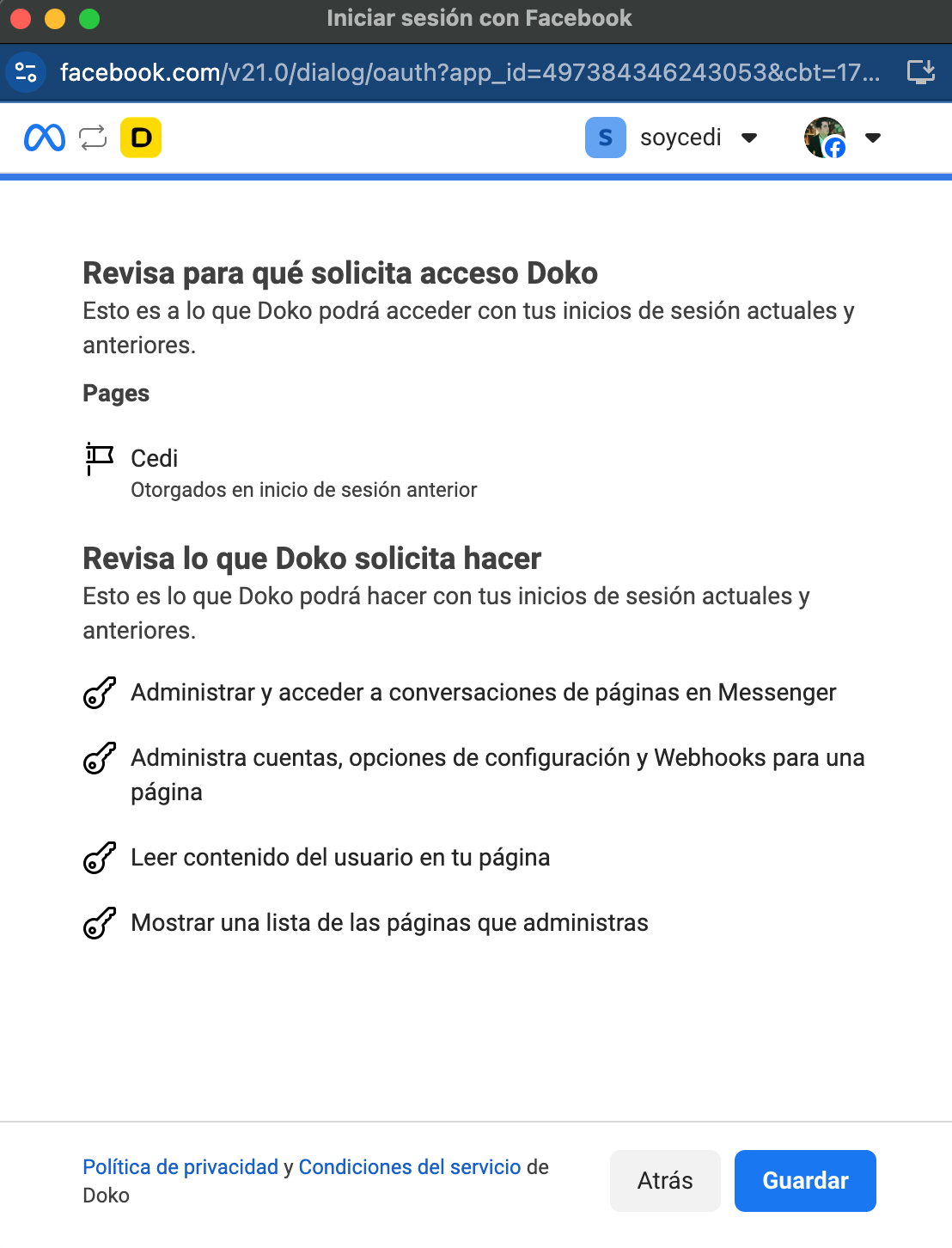
    Aktivieren Sie den Zugriff für Doko

    <Frame>
      <img src="https://mintcdn.com/doko/wNz10e2dI8HDdsq4/images/accesos-messenger.png?fit=max&auto=format&n=wNz10e2dI8HDdsq4&q=85&s=a737296a5cb30ea50d265b0984154015" alt="WA verbinden" width="1108" height="1452" data-path="images/accesos-messenger.png" />
    </Frame>
  </Step>

  <Step>
    Schließen Sie die Verbindung ab

    <Frame>
      <img src="https://mintcdn.com/doko/wNz10e2dI8HDdsq4/images/5.png?fit=max&auto=format&n=wNz10e2dI8HDdsq4&q=85&s=275912d14676aac80ae79b6028836e67" alt="WA verbinden" width="1108" height="1452" data-path="images/5.png" />
    </Frame>
  </Step>
</Steps>

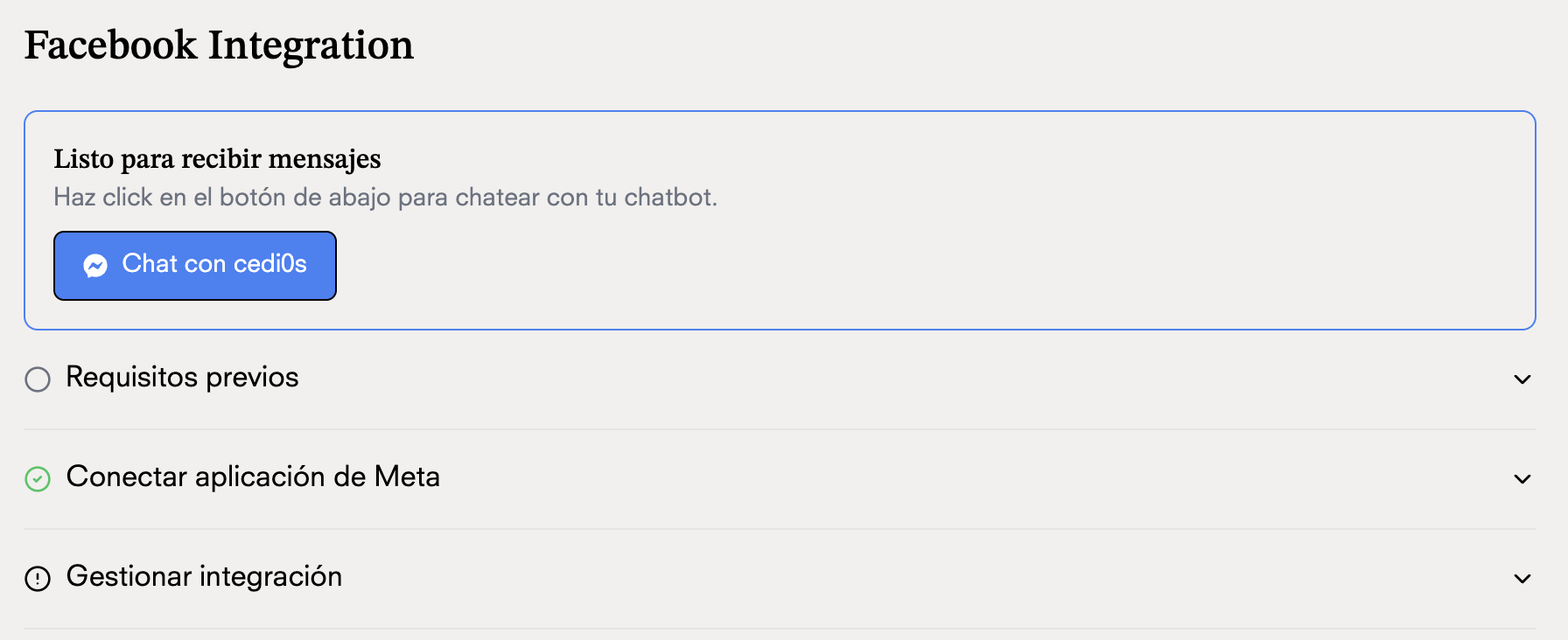
## Chatten Sie mit Ihrem Chatbot

<Frame>
  <img src="https://mintcdn.com/doko/wNz10e2dI8HDdsq4/images/chatea.png?fit=max&auto=format&n=wNz10e2dI8HDdsq4&q=85&s=193b3965c3339d44483666f719a5700d" alt="WA verbinden" width="1792" height="732" data-path="images/chatea.png" />
</Frame>