> ## Documentation Index
> Fetch the complete documentation index at: https://docs.doko-ai.com/llms.txt
> Use this file to discover all available pages before exploring further.
# Share
> Deploy your chatbot in production across different platforms
## Website Integration
### Add your chatbot to your website
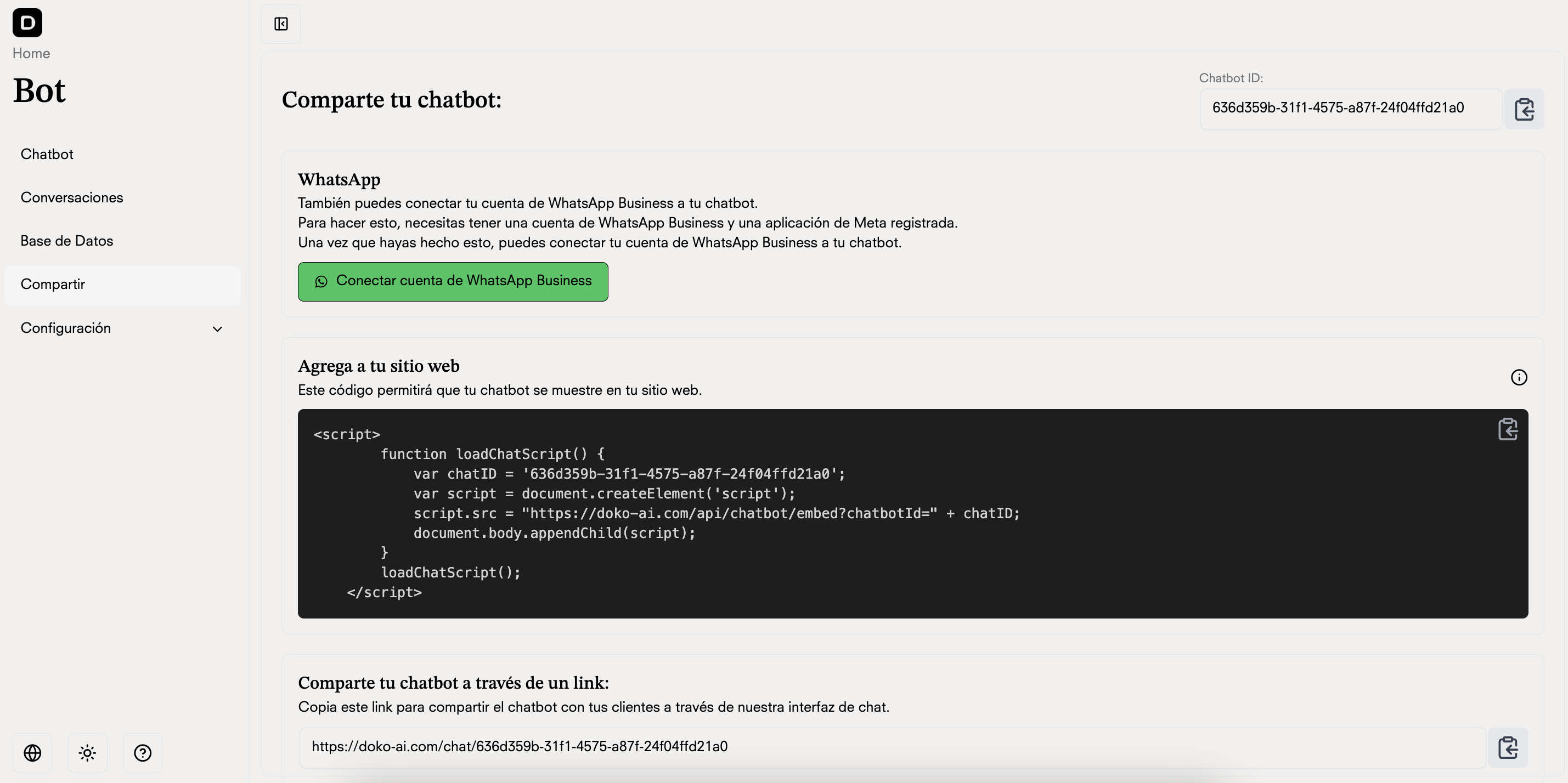
Add your chatbot directly to your website by copying and pasting the following code snippet into your HTML. The chatbot will appear as a floating button in the bottom right corner of your website.
```
```
## Web Interface
Share a direct link to your chatbot's web interface. Users can access the complete chat experience through their web browser without any installation required.
This link is automatically generated when you create a chatbot on the platform.
```
https://doko-ai.com/chat/chatID
```
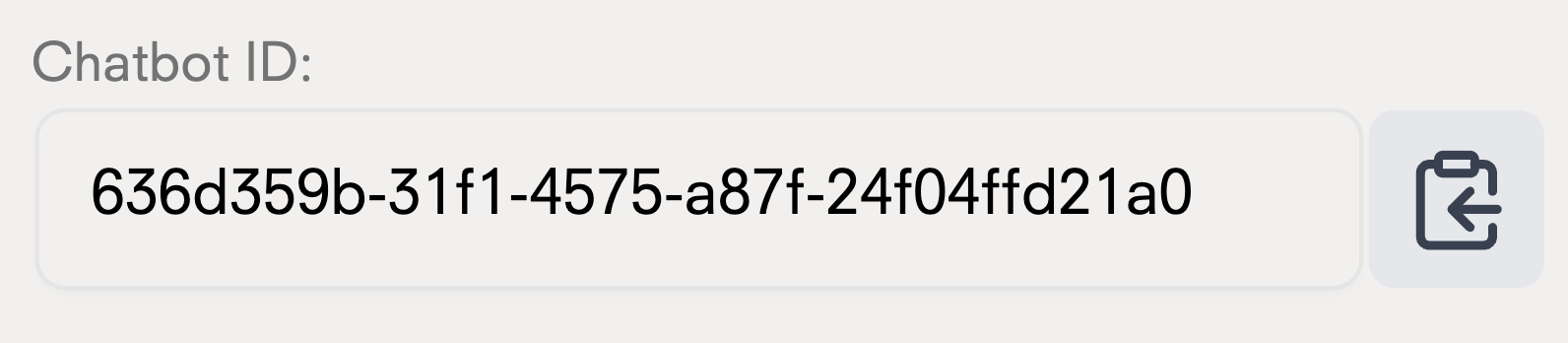
## Get your chatbot ID
 ## WhatsApp Integration
Access the tutorial to integrate your chatbot with WhatsApp.
## Shopify Integration
Access the tutorial to integrate your chatbot with Shopify.
## Messenger Integration
Access the tutorial to integrate your chatbot with Facebook Messenger.
## Instagram Integration
Access the tutorial to integrate your chatbot with Instagram.
## WhatsApp Integration
Access the tutorial to integrate your chatbot with WhatsApp.
## Shopify Integration
Access the tutorial to integrate your chatbot with Shopify.
## Messenger Integration
Access the tutorial to integrate your chatbot with Facebook Messenger.
## Instagram Integration
Access the tutorial to integrate your chatbot with Instagram.