> ## Documentation Index
> Fetch the complete documentation index at: https://docs.doko-ai.com/llms.txt
> Use this file to discover all available pages before exploring further.
# Conversation Settings
> In this section you can see all the configurations available for your chatbot
**Prerequisite**: You need to have created your chatbot.
Learn how to configure and personalize your chatbot's behavior and appearance.
### Behavior and context
**Custom Prompt:** The tool is based on the text provided by the user. Therefore, it is recommended to provide a clear and detailed description so the bot can function optimally.
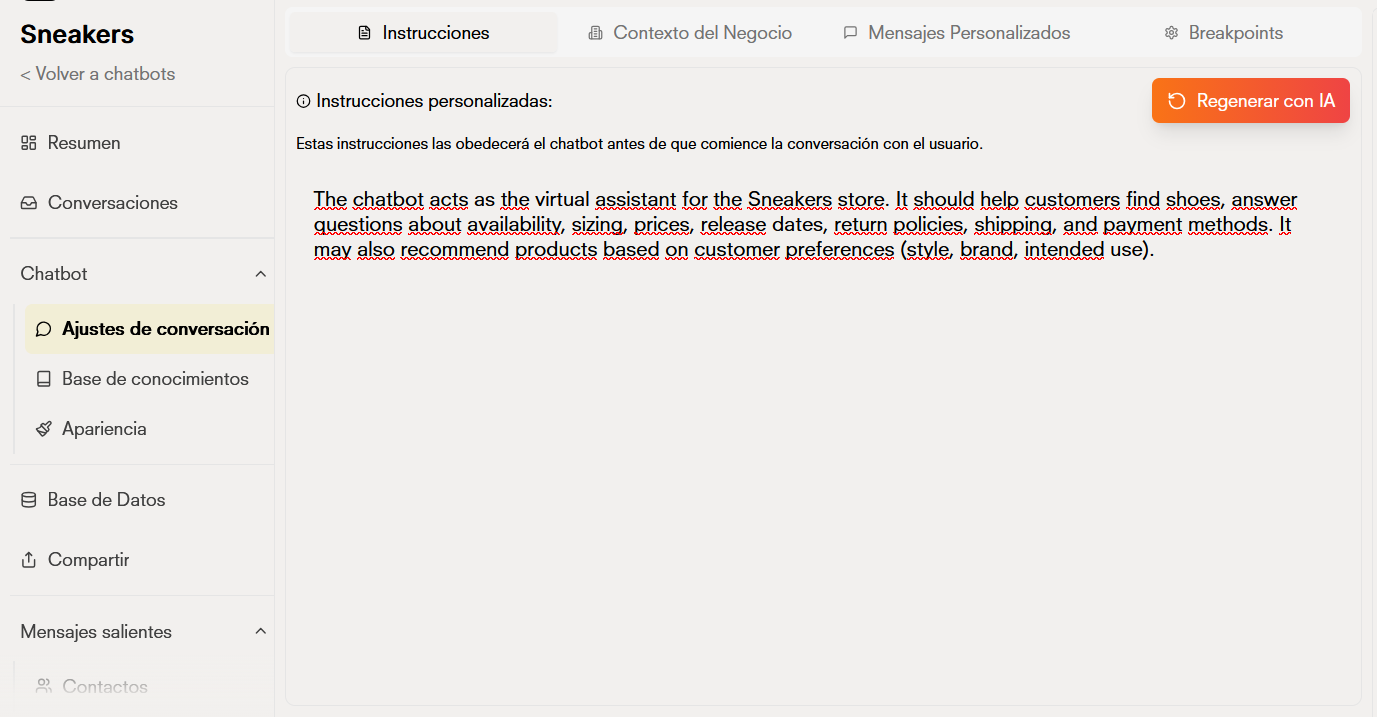 **Business Context:** You can provide additional context of your business so the AI can have more information.
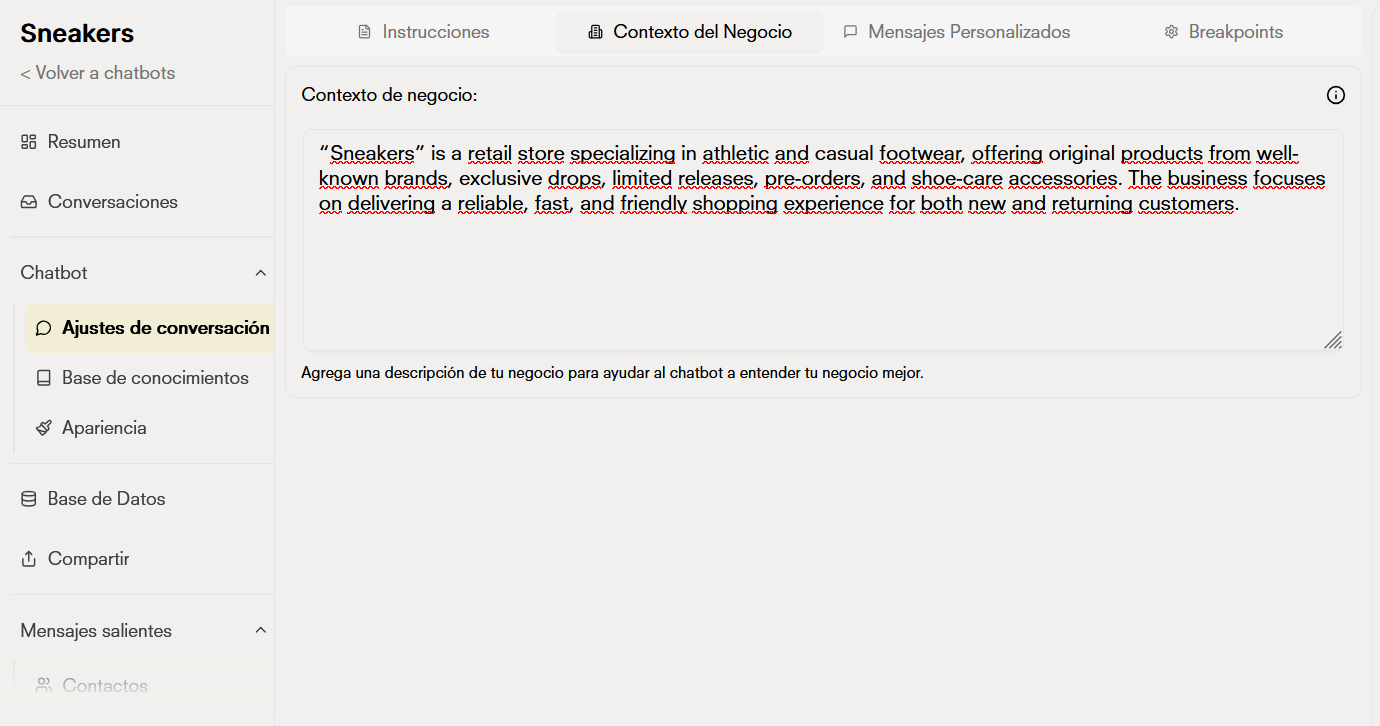 Mention what the bot's objectives are, what its personality should be like, or even configure context so your chatbot understands and responds better to user queries.
### Custom messages
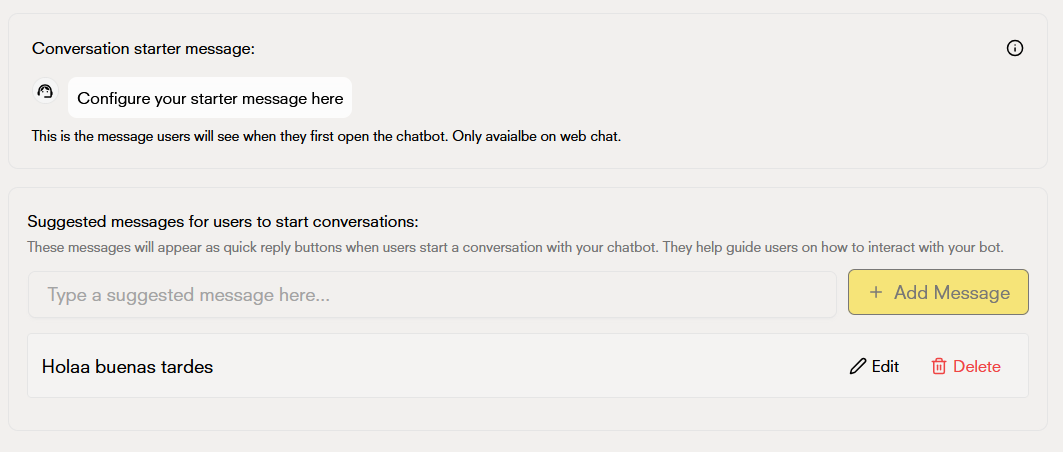
**Start Message**: Configure the initial message that your chatbot will display when users start a conversation.
**Custom message**: Allows us to give the user a predefined message to start the conversation with the bot.
Mention what the bot's objectives are, what its personality should be like, or even configure context so your chatbot understands and responds better to user queries.
### Custom messages
**Start Message**: Configure the initial message that your chatbot will display when users start a conversation.
**Custom message**: Allows us to give the user a predefined message to start the conversation with the bot.
 ### Breakpoints
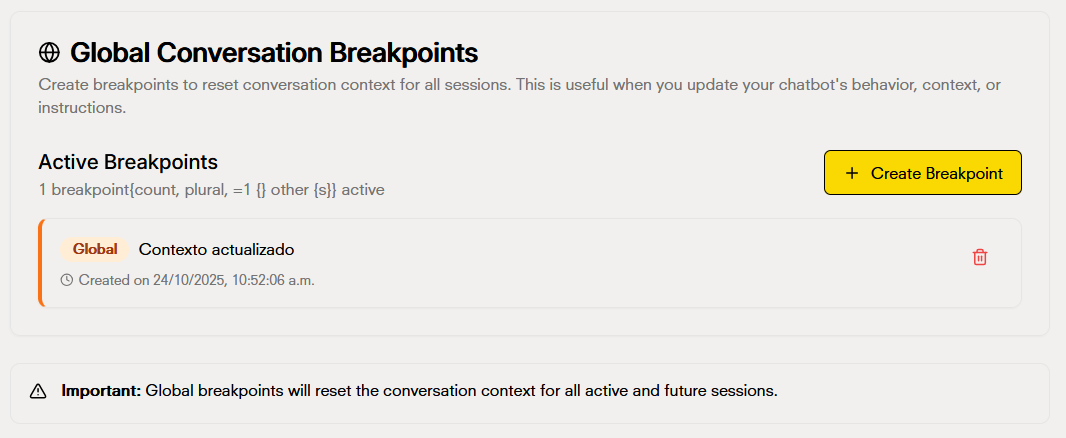
**Breakpoints**: "Breakpoints" are words that allow us to control the update or restart of key points of the bot, use them to restart context of conversations
### Breakpoints
**Breakpoints**: "Breakpoints" are words that allow us to control the update or restart of key points of the bot, use them to restart context of conversations
 ### Knowledge Base
Manage the information sources that your chatbot uses to provide responses.
The following types of knowledge are accepted as valid:
* PDF
* Web page
* CSV
* Text file
### Knowledge Base
Manage the information sources that your chatbot uses to provide responses.
The following types of knowledge are accepted as valid:
* PDF
* Web page
* CSV
* Text file
 ### Appearance and Branding
* Change the chatbot name
* Update profile picture
* Customize chat interface colors
* Modify chat bubble style
### Appearance and Branding
* Change the chatbot name
* Update profile picture
* Customize chat interface colors
* Modify chat bubble style
 ### Powered by Doko
* The "Powered by Doko" label can be removed on the Entrepreneur plan and higher.
### Powered by Doko
* The "Powered by Doko" label can be removed on the Entrepreneur plan and higher.
 * Start Message: Keep it concise and friendly to set the right tone for conversations
* Custom Instructions: Be specific about your chatbot's role and expertise to improve response accuracy
* Knowledge Base: Update your information sources regularly to ensure accurate and current information
* Branding: Maintain consistency with your brand's visual identity
* Start Message: Keep it concise and friendly to set the right tone for conversations
* Custom Instructions: Be specific about your chatbot's role and expertise to improve response accuracy
* Knowledge Base: Update your information sources regularly to ensure accurate and current information
* Branding: Maintain consistency with your brand's visual identity