> ## Documentation Index
> Fetch the complete documentation index at: https://docs.doko-ai.com/llms.txt
> Use this file to discover all available pages before exploring further.
# Custom Forms
> Discover and learn how to use the powerful tools available for your chatbot.
With this tool, you can customize the information you want to collect from your customers. Create personalized forms that adapt to your business needs and capture the exact data you require.
### Main Features
* Customizable form fields
* Multiple field types (text, email, phone, date, etc.)
* Conditional logic support
* Data validation
* Automatic data capture to database
 ### Creating Custom Forms
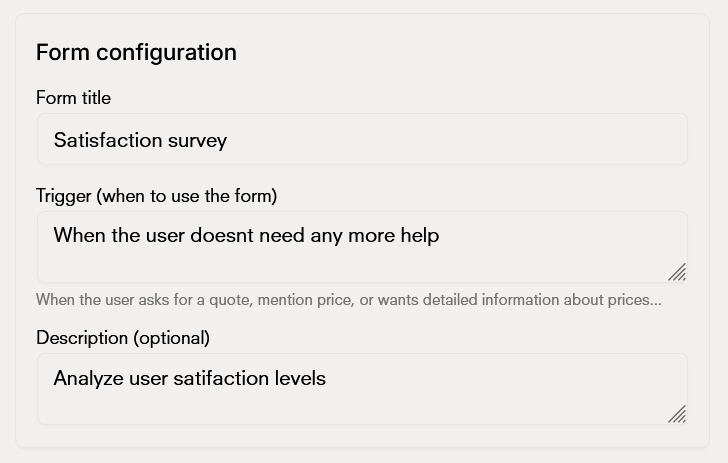
Configure your form fields by adding the field name, type, and description. You can specify which fields are required and set validation rules.
### Creating Custom Forms
Configure your form fields by adding the field name, type, and description. You can specify which fields are required and set validation rules.
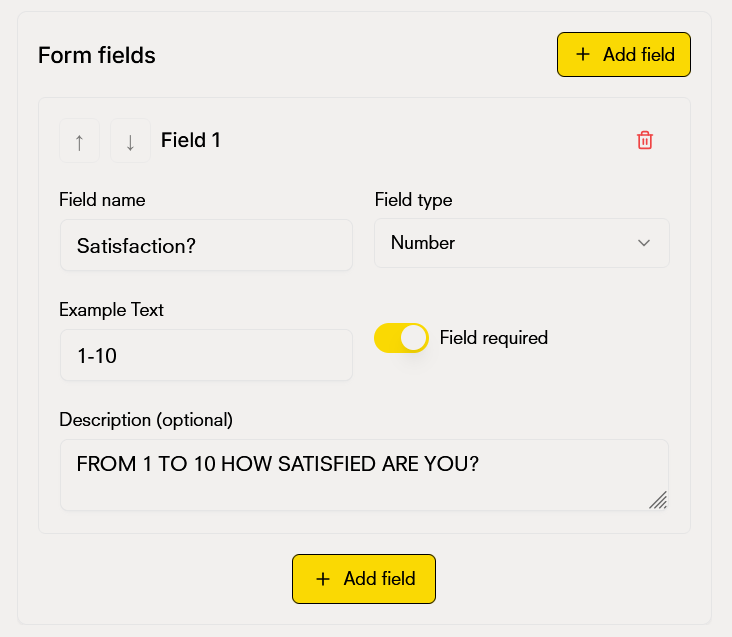
 Customize the form behavior and appearance. Set up conditional logic to show or hide fields based on previous answers, and configure how the form will be presented to users.
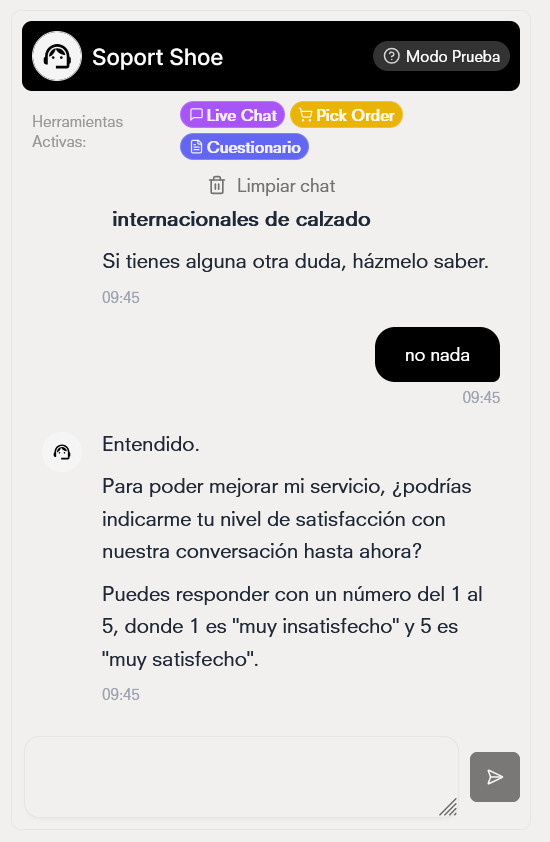
 The chatbot will ultimately respond and collect information in the following way: