> ## Documentation Index
> Fetch the complete documentation index at: https://docs.doko-ai.com/llms.txt
> Use this file to discover all available pages before exploring further.

# Messenger

> Integrate your chatbot with Facebook for a seamless user experience.

## Video Tutorial

<Card title="Watch the tutorial" icon="youtube" href="https://www.youtube.com/watch?v=wbzBUtVIpKw">
  Watch the tutorial to integrate your chatbot with Facebook.
</Card>

[Create your chatbot here](https://doko-ai.com/en/sign-up)

### Prerequisites

1. Create a Meta Business Portfolio
   You need to have a Meta Business Portfolio to use the Facebook integration.

You can create a business portfolio at [Meta for Business](https://www.facebook.com/business/help/1710077379203657).

2. Get a unique phone number for this chatbot

You need to get a phone number that hasn't been used with WhatsApp Business before.

<Steps>
  <Step>
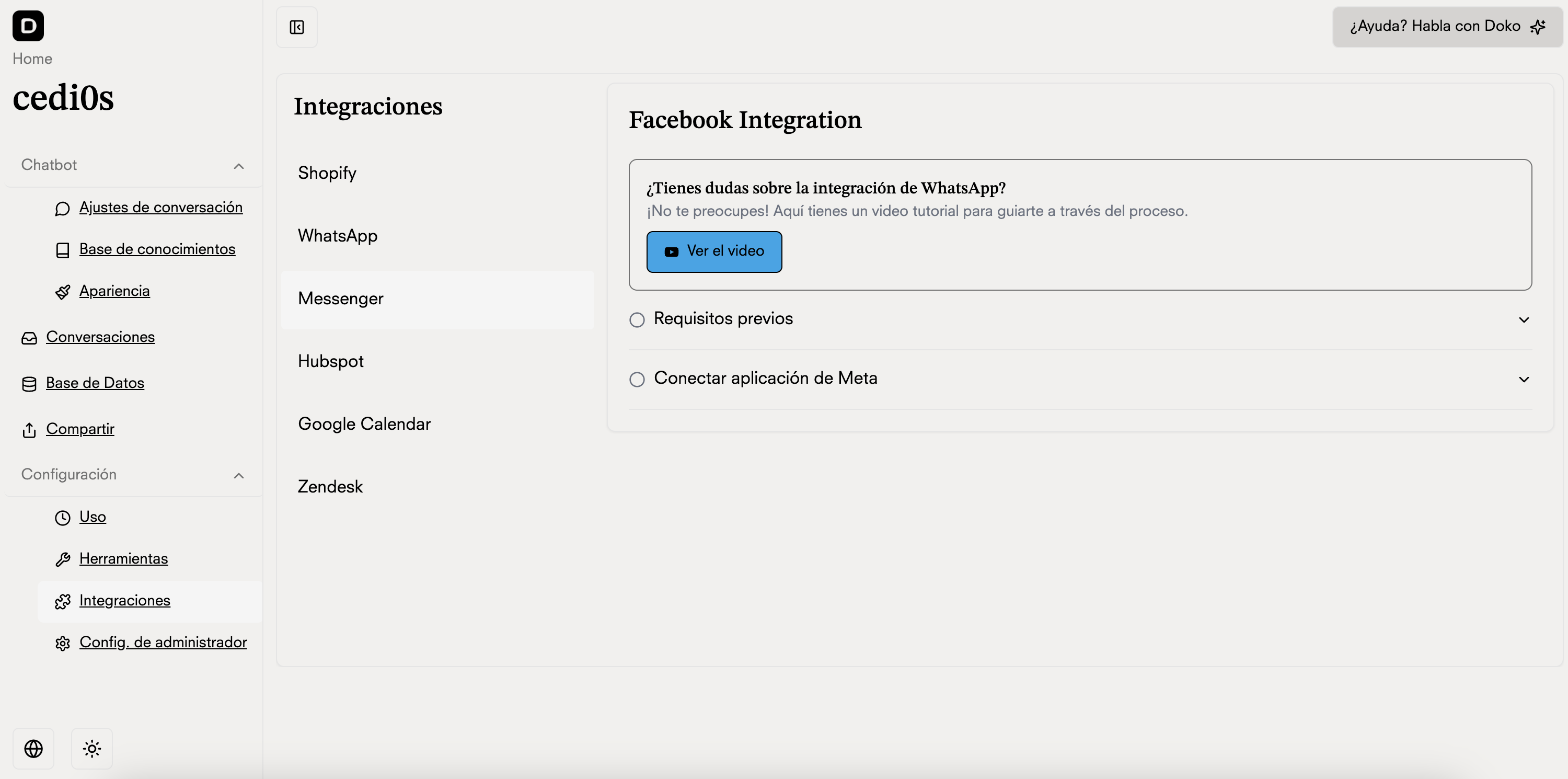
    <h3>Go to Integrations in your chatbot portal</h3>

    <Frame>
      <img src="https://mintcdn.com/doko/pKbjWpjWFDIh-Q-V/images/integraciones-messenger.png?fit=max&auto=format&n=pKbjWpjWFDIh-Q-V&q=85&s=2f478242284b2f5d91931f5f7f65d803" alt="Integrations" width="3000" height="1490" data-path="images/integraciones-messenger.png" />
    </Frame>
  </Step>

  <Step>
    <h3>Connect your Meta Business Portfolio with Doko</h3>

    <Frame>
      <img src="https://mintcdn.com/doko/-p4Q5Mr8bh5M5OS8/images/messenger-boton.png?fit=max&auto=format&n=-p4Q5Mr8bh5M5OS8&q=85&s=e92f103397f0815e39d6987c6e13da35" alt="FB Session" width="1780" height="320" data-path="images/messenger-boton.png" />
    </Frame>
  </Step>

  <Step>
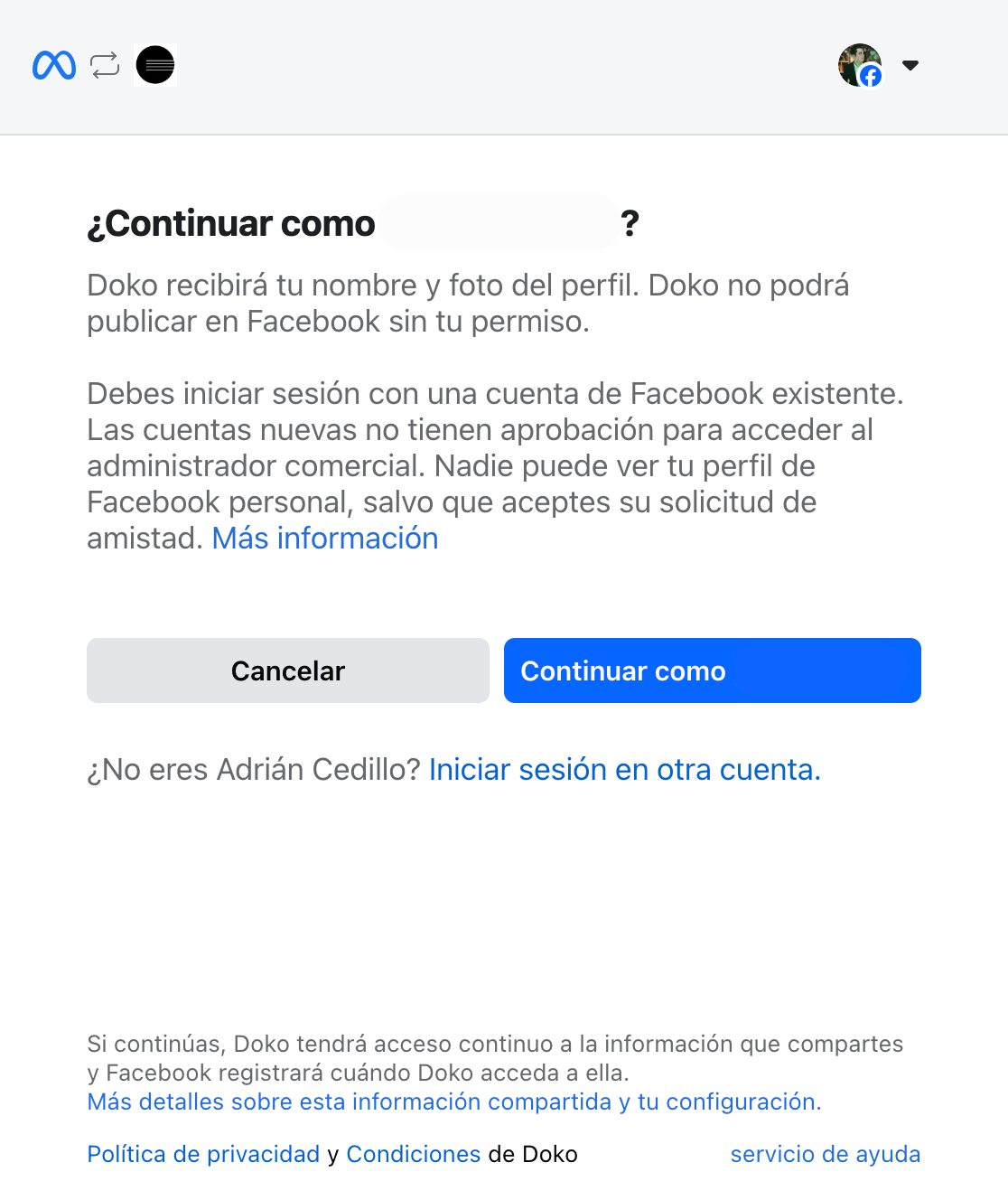
    <h3>Complete Facebook login</h3>

    <Frame>
      <img src="https://mintcdn.com/doko/0YZZ6sTrgbzUs9Ha/images/integrations/connect-fb.png?fit=max&auto=format&n=0YZZ6sTrgbzUs9Ha&q=85&s=99fbe8b93e0b3cba6bd3eb420be99535" alt="Connect FB" width="1116" height="1328" data-path="images/integrations/connect-fb.png" />
    </Frame>

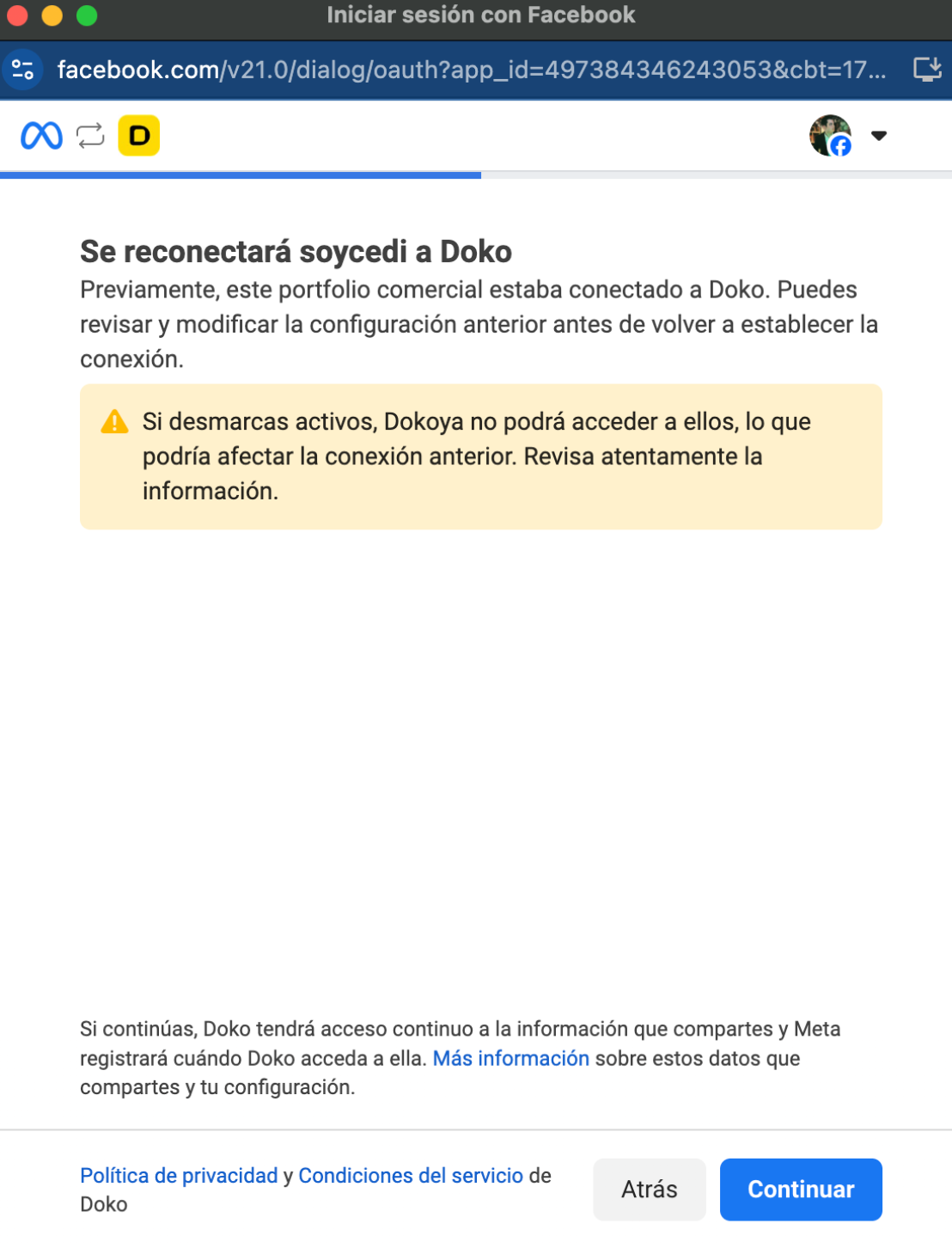
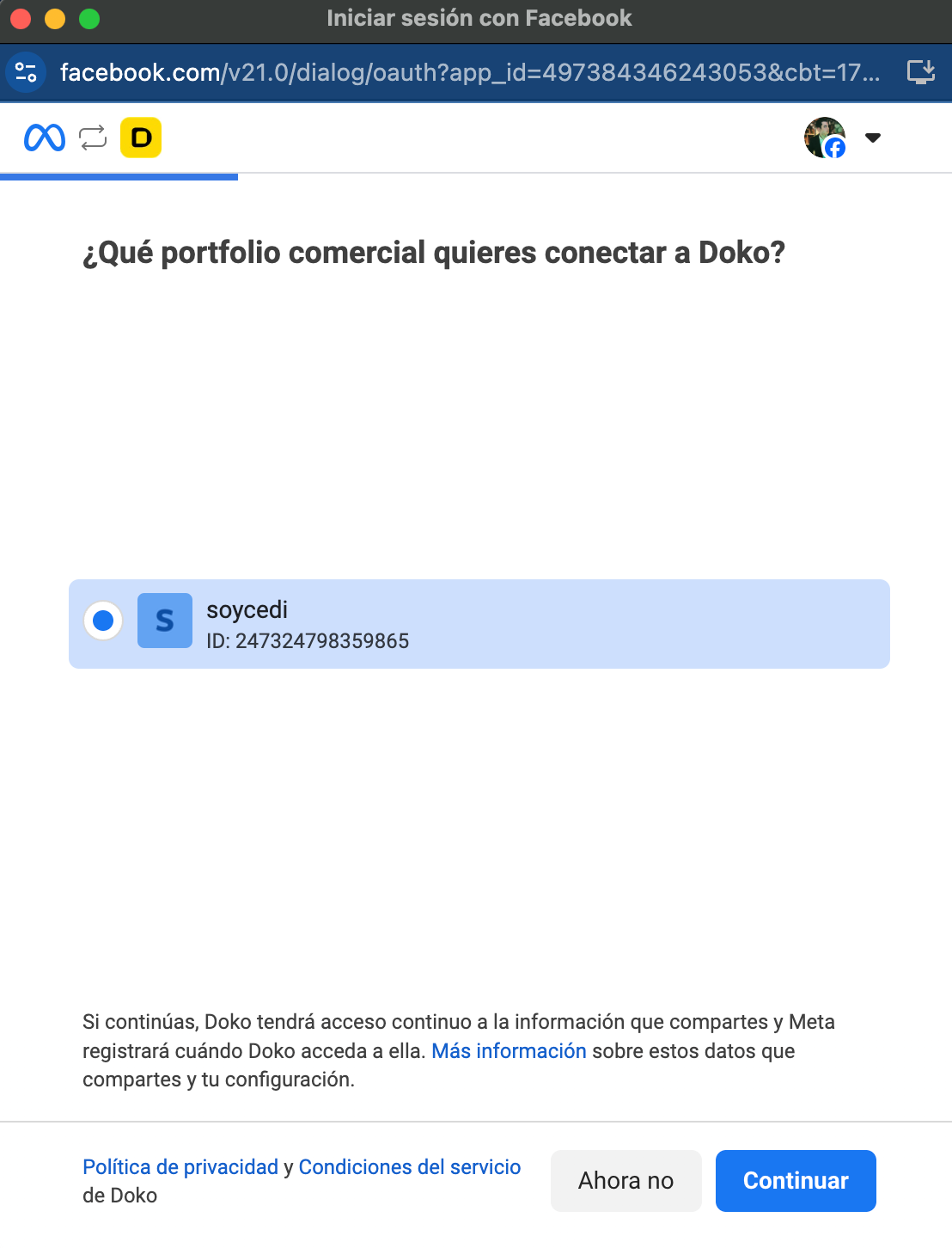
    Choose your Business Portfolio information
    <Frame>
      <img src="https://mintcdn.com/doko/-p4Q5Mr8bh5M5OS8/images/portafolio-messenger.png?fit=max&auto=format&n=-p4Q5Mr8bh5M5OS8&q=85&s=b0e545eb331f27a0902391f137e1e169" alt="Connect Portfolio" width="1108" height="1452" data-path="images/portafolio-messenger.png" />
    </Frame>

    Connect your Business Portfolio

    <Frame>
      <img src="https://mintcdn.com/doko/wNz10e2dI8HDdsq4/images/conectar-pc.png?fit=max&auto=format&n=wNz10e2dI8HDdsq4&q=85&s=4b9ed8d290cb9971cfba28c6ed0899dd" alt="Connect WA" width="1108" height="1452" data-path="images/conectar-pc.png" />
    </Frame>

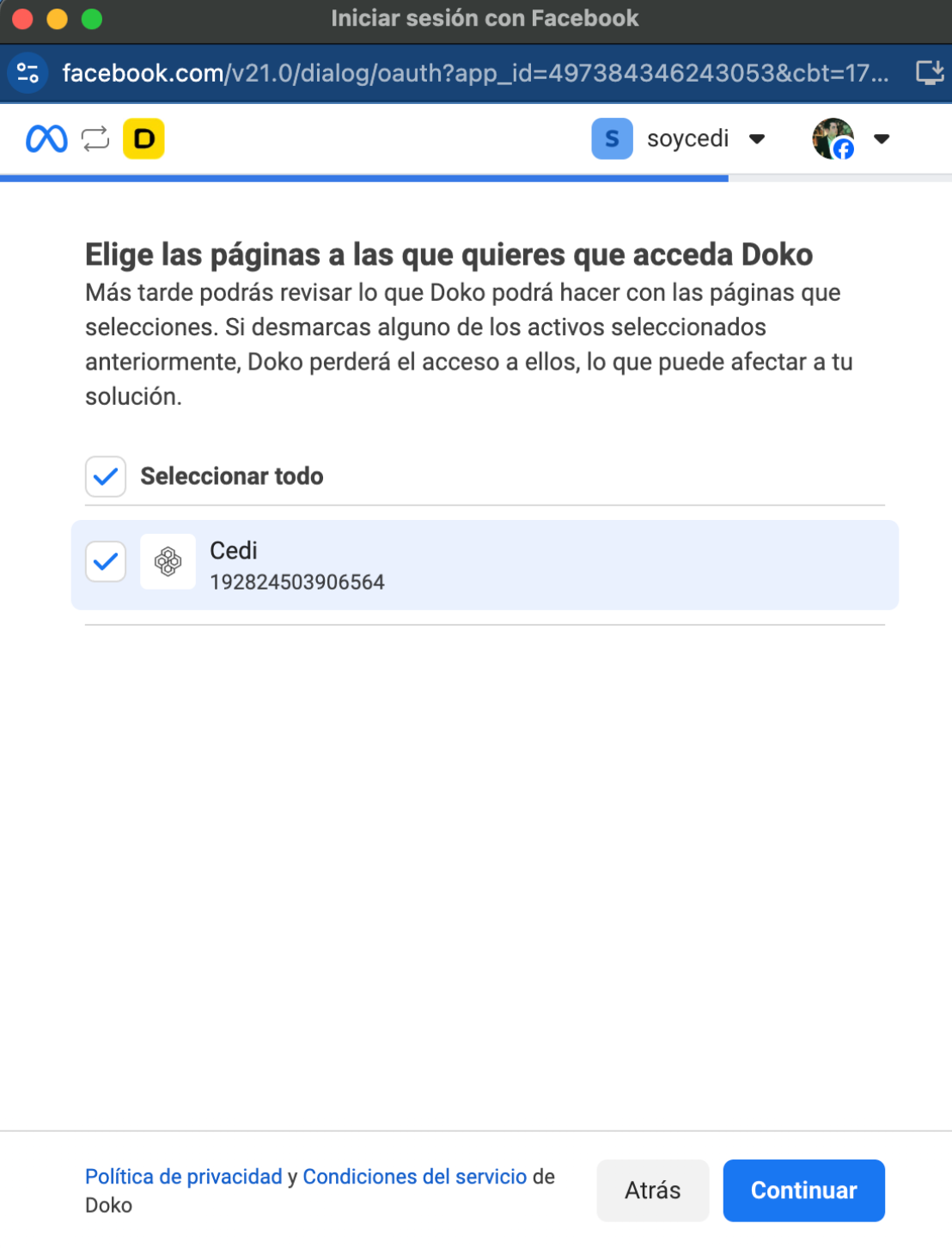
    Choose the page you want to connect

    <Frame>
      <img src="https://mintcdn.com/doko/pKbjWpjWFDIh-Q-V/images/elegir-pagina.png?fit=max&auto=format&n=pKbjWpjWFDIh-Q-V&q=85&s=0ba9519ad9a1a2d23cae963f2ee9164d" alt="Connect WA" width="1108" height="1452" data-path="images/elegir-pagina.png" />
    </Frame>

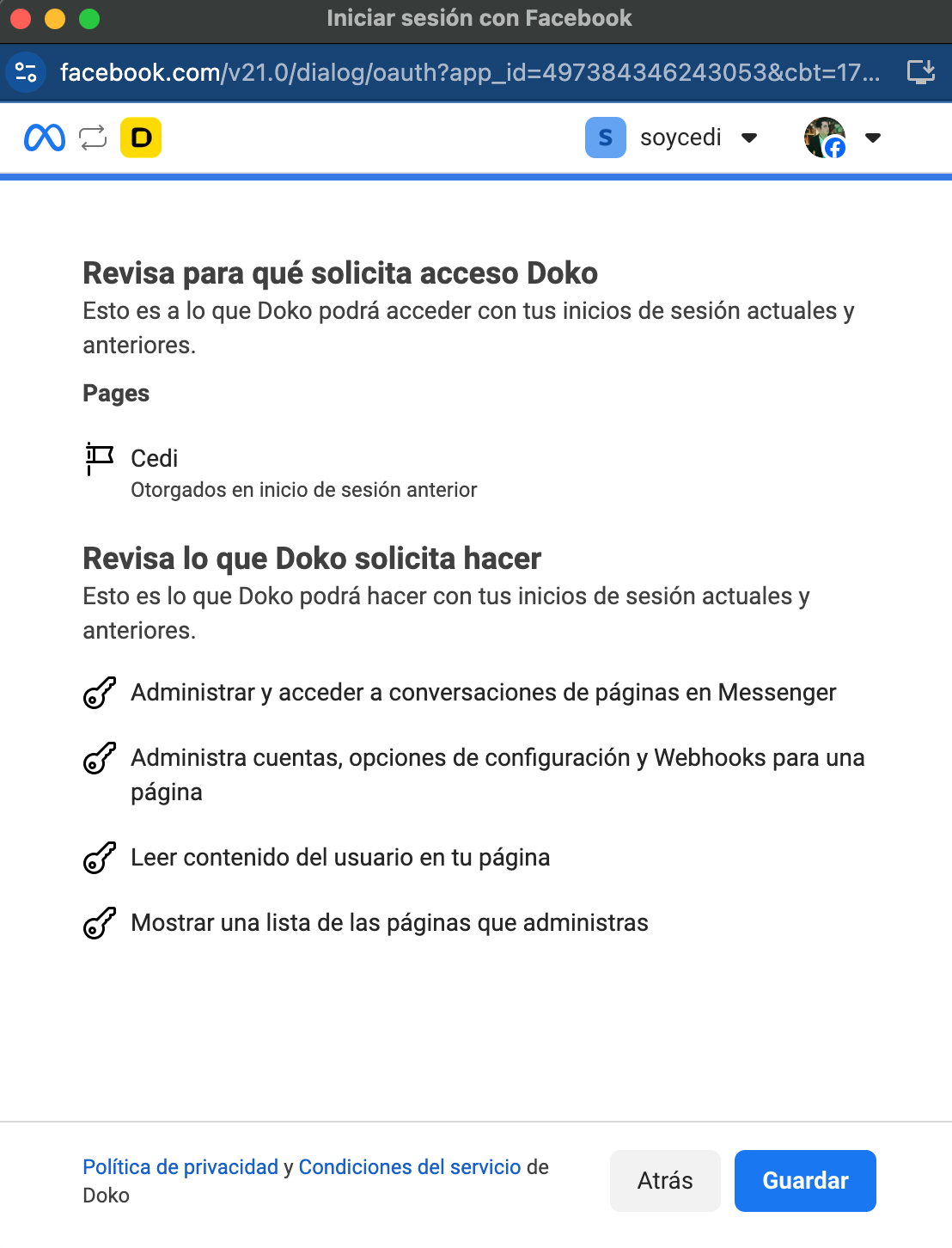
    Enable access for Doko

    <Frame>
      <img src="https://mintcdn.com/doko/wNz10e2dI8HDdsq4/images/accesos-messenger.png?fit=max&auto=format&n=wNz10e2dI8HDdsq4&q=85&s=a737296a5cb30ea50d265b0984154015" alt="Connect WA" width="1108" height="1452" data-path="images/accesos-messenger.png" />
    </Frame>
  </Step>

  <Step>
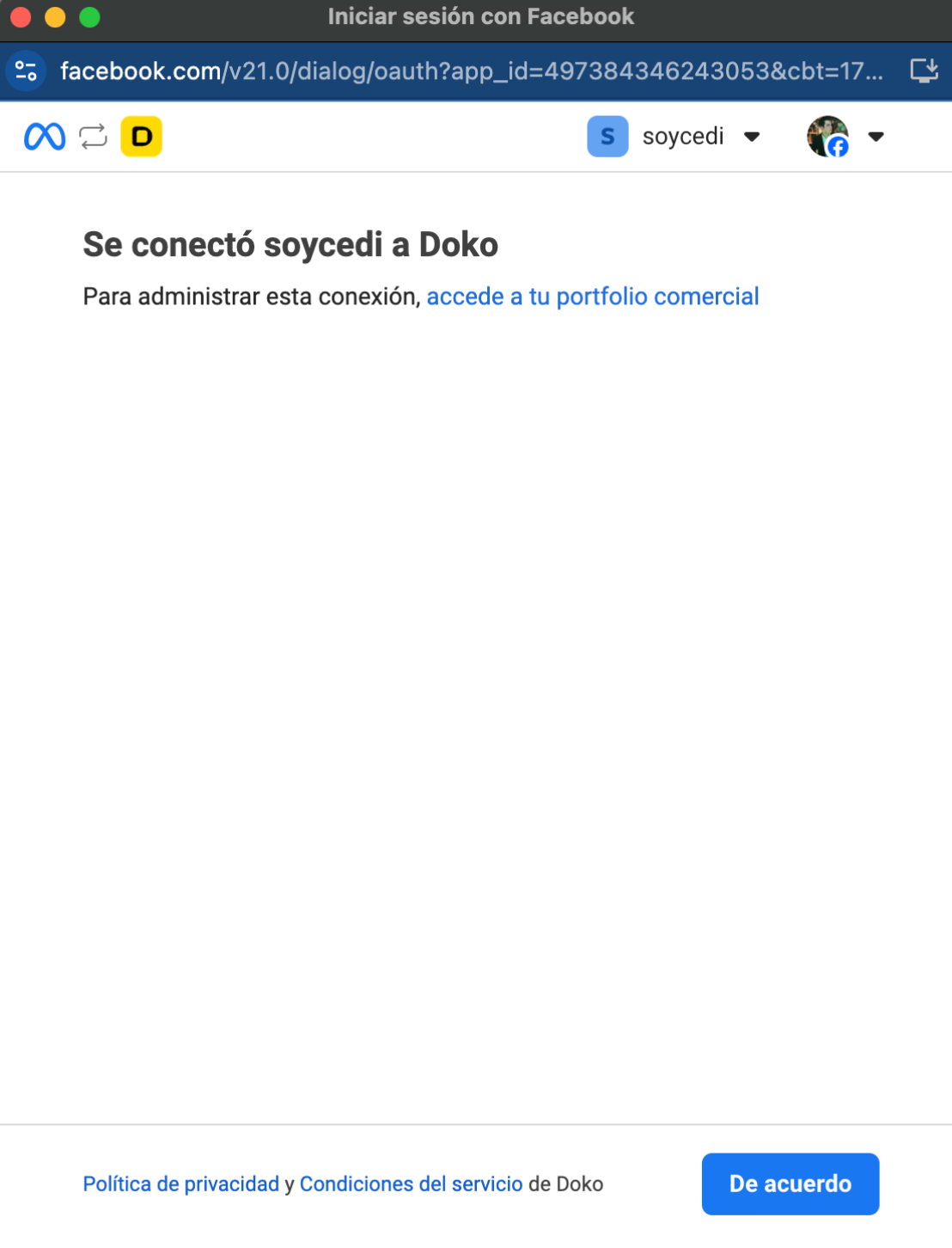
    Complete the connection

    <Frame>
      <img src="https://mintcdn.com/doko/wNz10e2dI8HDdsq4/images/5.png?fit=max&auto=format&n=wNz10e2dI8HDdsq4&q=85&s=275912d14676aac80ae79b6028836e67" alt="Connect WA" width="1108" height="1452" data-path="images/5.png" />
    </Frame>
  </Step>
</Steps>

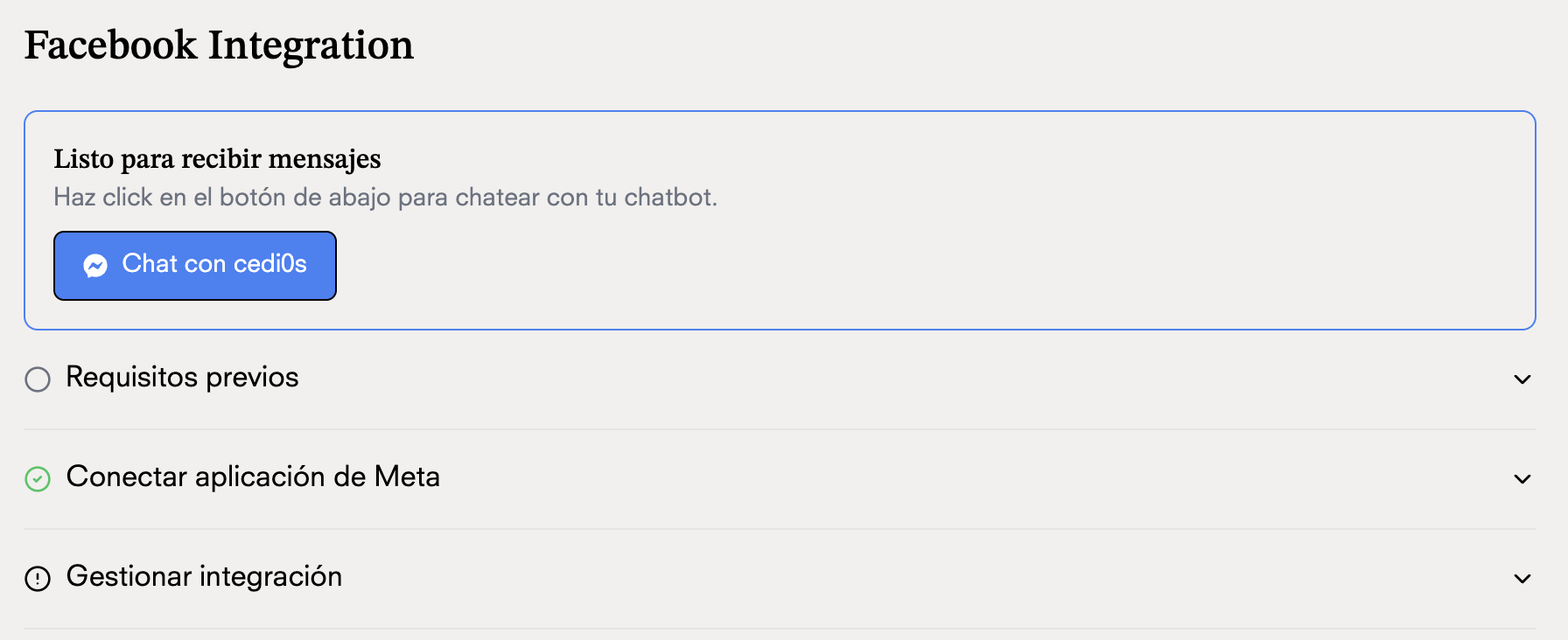
## Chat with your chatbot

<Frame>
  <img src="https://mintcdn.com/doko/wNz10e2dI8HDdsq4/images/chatea.png?fit=max&auto=format&n=wNz10e2dI8HDdsq4&q=85&s=193b3965c3339d44483666f719a5700d" alt="Connect WA" width="1792" height="732" data-path="images/chatea.png" />
</Frame>