> ## Documentation Index
> Fetch the complete documentation index at: https://docs.doko-ai.com/llms.txt
> Use this file to discover all available pages before exploring further.

# Zendesk

> Connect your Zendesk account so your chatbot can create tickets in Zendesk.

### Integration with your Zendesk account

[Create your chatbot here](https://doko-ai.com/en/sign-up)

<Steps>
  <Step>
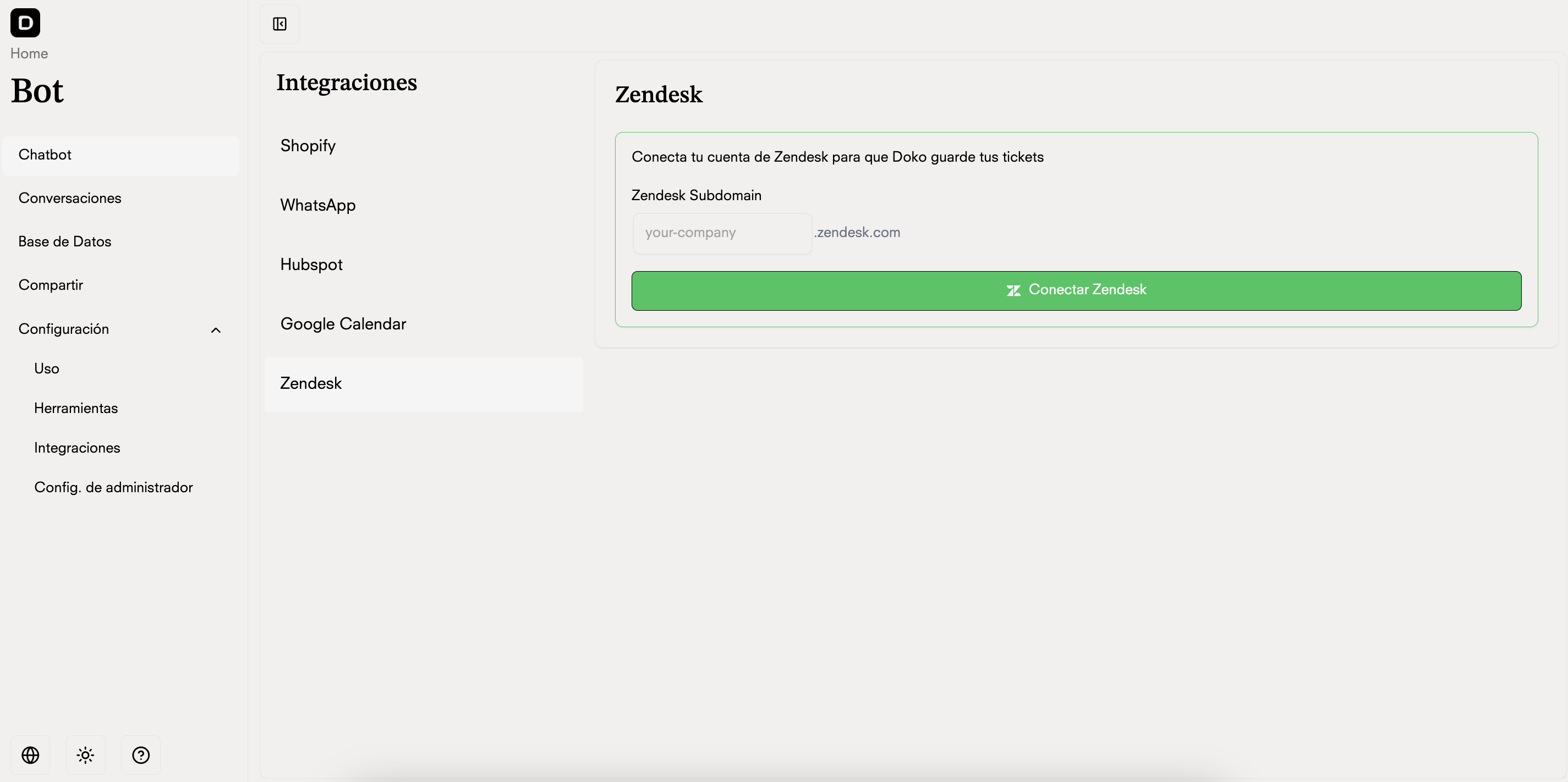
    <h3>Go to Settings>Integrations in your chatbot portal and select Zendesk</h3>

    <Frame>
      <img src="https://mintcdn.com/doko/-p4Q5Mr8bh5M5OS8/images/zendesk.png?fit=max&auto=format&n=-p4Q5Mr8bh5M5OS8&q=85&s=4b01fd1fad1b48d87a8fb79584ed4eb3" alt="Integrations" width="2850" height="1422" data-path="images/zendesk.png" />
    </Frame>
  </Step>

  <Step>
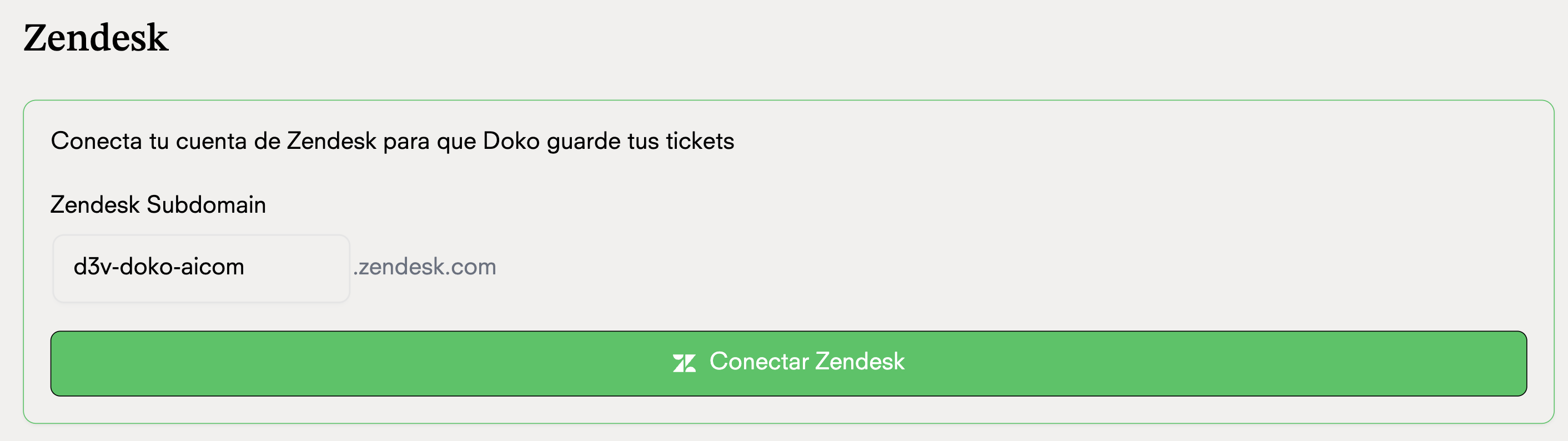
    <h3>Enter your subdomain and click on Connect</h3>
    <Note>This is your Zendesk account subdomain, for example: <b>[https://doko.zendesk.com](https://doko.zendesk.com)</b></Note>

    <Frame>
      <img src="https://mintcdn.com/doko/pKbjWpjWFDIh-Q-V/images/dominio-zendesk.png?fit=max&auto=format&n=pKbjWpjWFDIh-Q-V&q=85&s=052b85c54736a8b457a278cfffa04dc7" alt="Connect" width="2824" height="794" data-path="images/dominio-zendesk.png" />
    </Frame>
  </Step>

  <Step>
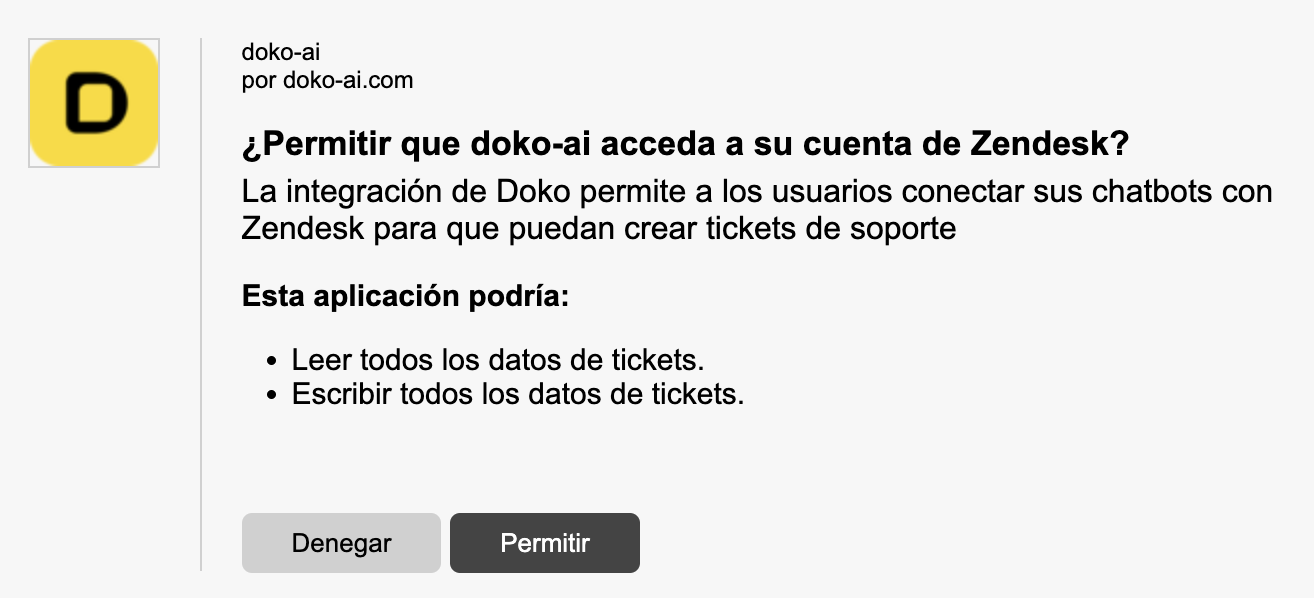
    <h3>Grant the necessary permissions for Doko to access your Zendesk account</h3>

    <Frame>
      <img src="https://mintcdn.com/doko/-p4Q5Mr8bh5M5OS8/images/permisos-zendesk.png?fit=max&auto=format&n=-p4Q5Mr8bh5M5OS8&q=85&s=252eb59fd04e0a9f98a104bc665ce146" alt="Permissions" width="1314" height="598" data-path="images/permisos-zendesk.png" />
    </Frame>
  </Step>

  <Step>
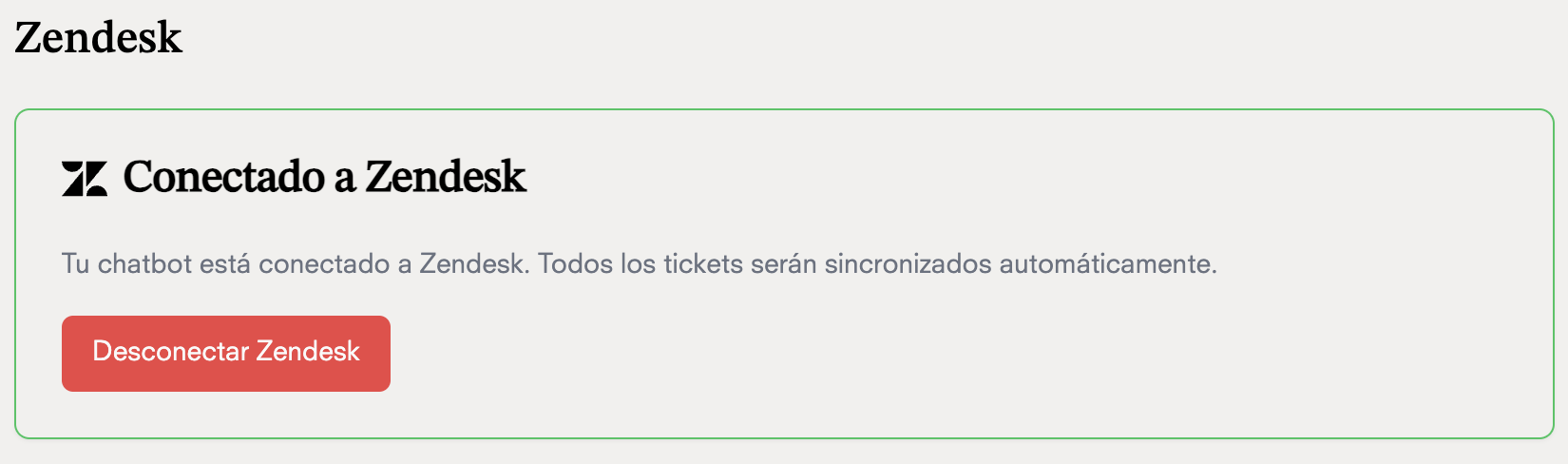
    <h3>Done! Your chatbot can now create tickets in your Zendesk account</h3>

    <Frame>
      <img src="https://mintcdn.com/doko/wNz10e2dI8HDdsq4/images/conectado-zendesk.png?fit=max&auto=format&n=wNz10e2dI8HDdsq4&q=85&s=b8d9900449a96712be59e24c3631cf17" alt="Chat Bot" width="1650" height="488" data-path="images/conectado-zendesk.png" />
    </Frame>
  </Step>
</Steps>

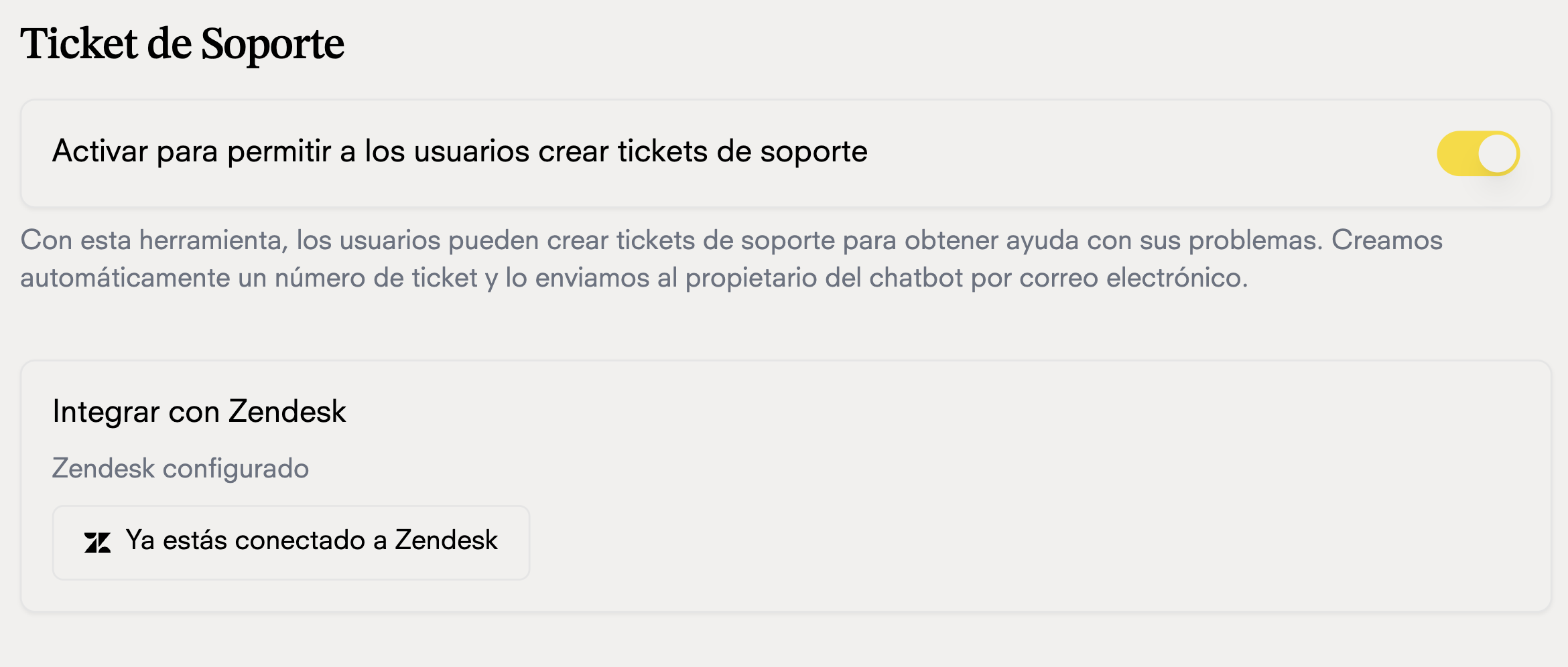
## Ticket creation tool

### Now that your chatbot is connected to Zendesk, you can use the ticket creation tool to send tickets to your support team in Zendesk.
<Frame>
  <img src="https://mintcdn.com/doko/-p4Q5Mr8bh5M5OS8/images/soporte-zendesk.png?fit=max&auto=format&n=-p4Q5Mr8bh5M5OS8&q=85&s=1e3cb15ed5d82fe565c9fcd08157b04e" alt="Create ticket" width="2340" height="996" data-path="images/soporte-zendesk.png" />
</Frame>