> ## Documentation Index
> Fetch the complete documentation index at: https://docs.doko-ai.com/llms.txt
> Use this file to discover all available pages before exploring further.
# Citas
> Descubre y aprende a utilizar las potentes herramientas disponibles para tu chatbot.
Permite a los usuarios programar citas directamente a través de tu chatbot. Varias de las características que incluye esta herramienta son:
* Correos de confirmación
* Plantillas para agendacion de citas
* Mensajes de confirmación
* Manejo de zonas horarias
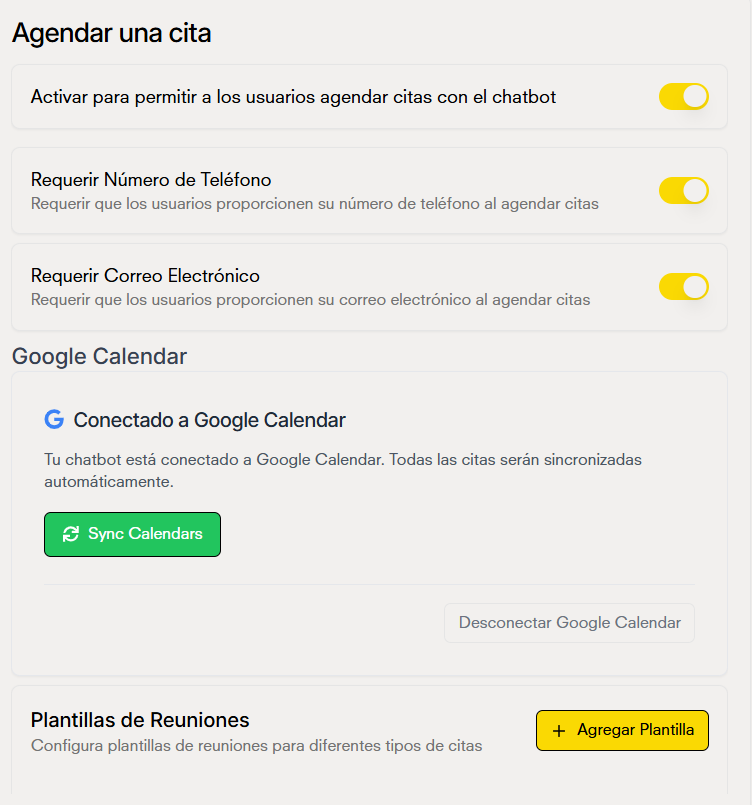 Si tu chatbot tiene la integración con Google Calendar, se agendaran tus citas en tu calendario
### Agregar plantillas de reunion
Cada plantilla define la duración, ventana de disponibilidad y configuraciones del calendario para diferentes tipos de reuniones. Cuando un usuario consulta o agenda, el sistema usa estas plantillas para mostrar horarios disponibles y generar eventos bien formateados.
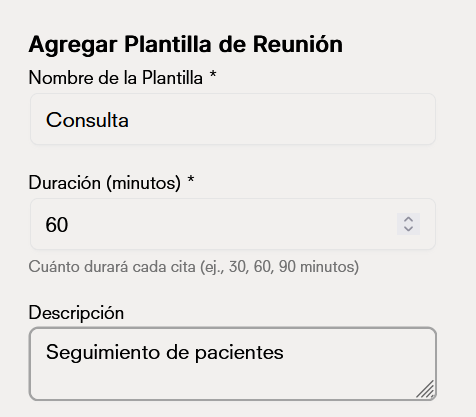
Añade el **nombre** de como se llamará la plantilla y la **duración** de la cita.
Si tu chatbot tiene la integración con Google Calendar, se agendaran tus citas en tu calendario
### Agregar plantillas de reunion
Cada plantilla define la duración, ventana de disponibilidad y configuraciones del calendario para diferentes tipos de reuniones. Cuando un usuario consulta o agenda, el sistema usa estas plantillas para mostrar horarios disponibles y generar eventos bien formateados.
Añade el **nombre** de como se llamará la plantilla y la **duración** de la cita.
 Define el titulo de tu evento y elige un color
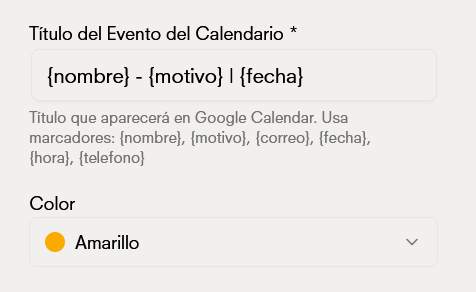 Los campos de nombre, motivo o fecha cambian por cada usuario
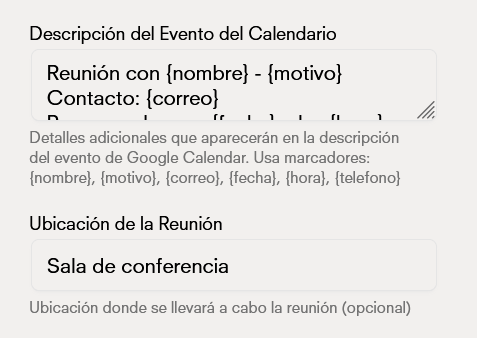
Describe el evento, luego añade el lugar en donde se llevará a cabo la cita
Los campos de nombre, motivo o fecha cambian por cada usuario
Describe el evento, luego añade el lugar en donde se llevará a cabo la cita
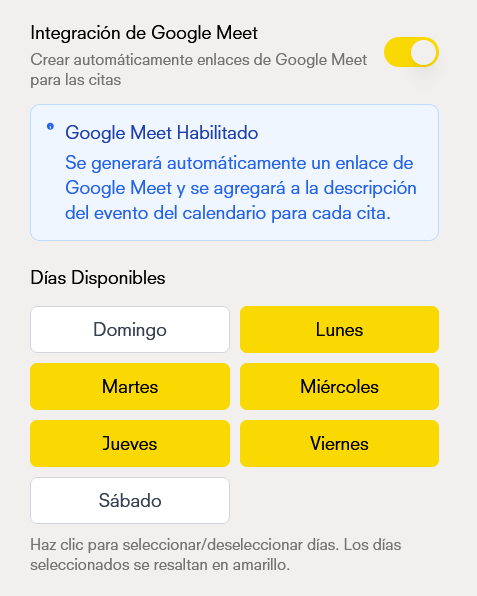
 Define la disponibilidad de tus citas
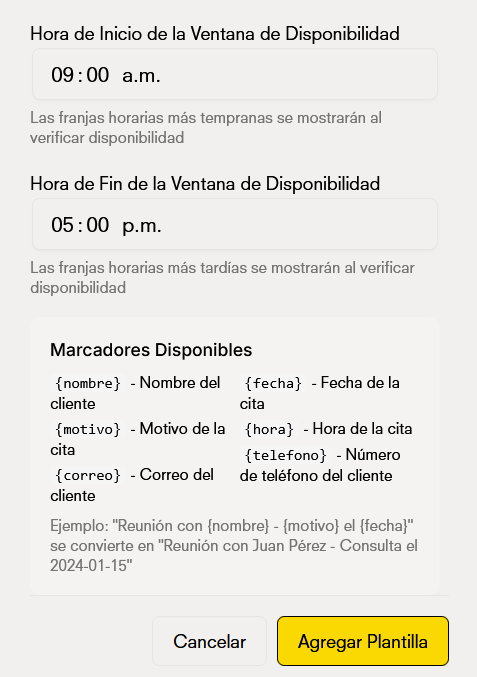
 Delimita tu horario de disponibilidad
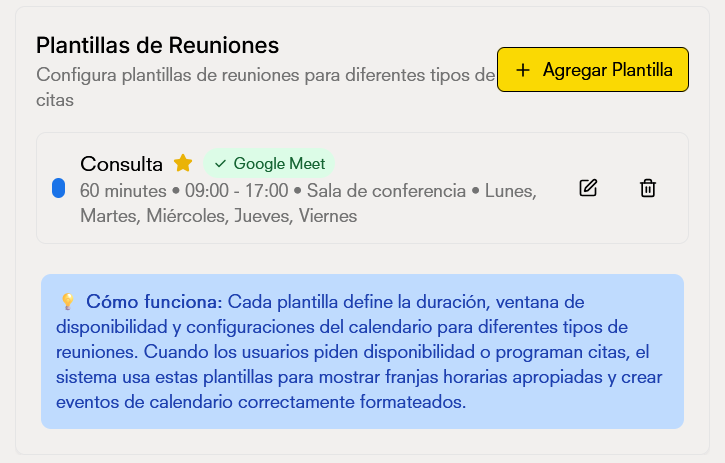
 Tu plantilla está completada y lista para usarse
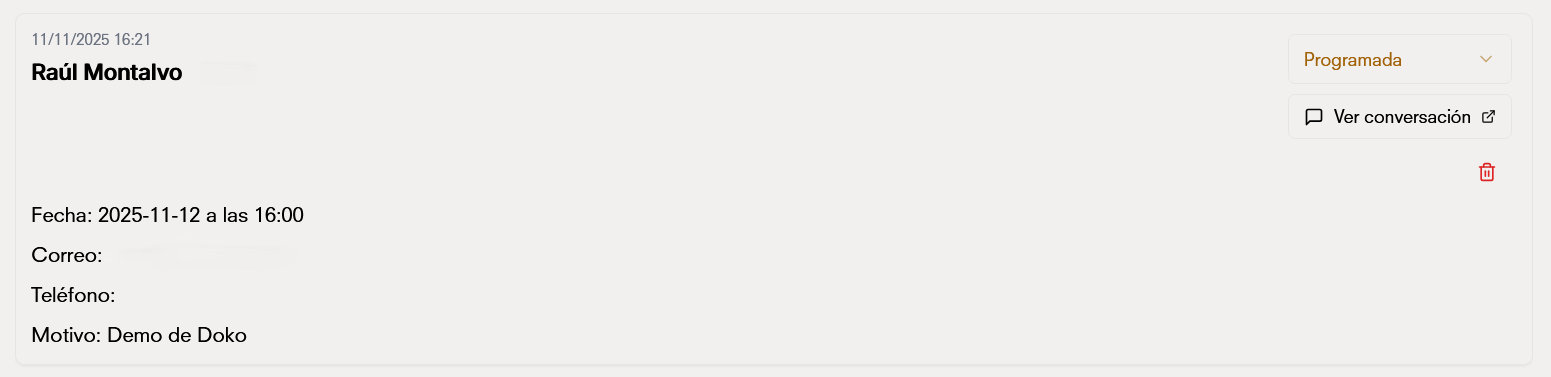
 Así se capturan los datos dentro de la [base de datos](/es/chatbot/database) del chatbot