> ## Documentation Index
> Fetch the complete documentation index at: https://docs.doko-ai.com/llms.txt
> Use this file to discover all available pages before exploring further.

# HubSpot

> Conecta tu cuenta con HubSpot para que tu chatbot pueda guardar leads

### Integración en tu cuenta de HubSpot

[Crea tu chatbot aquí](https://doko-ai.com/es/sign-up)

<Steps>
  <Step>
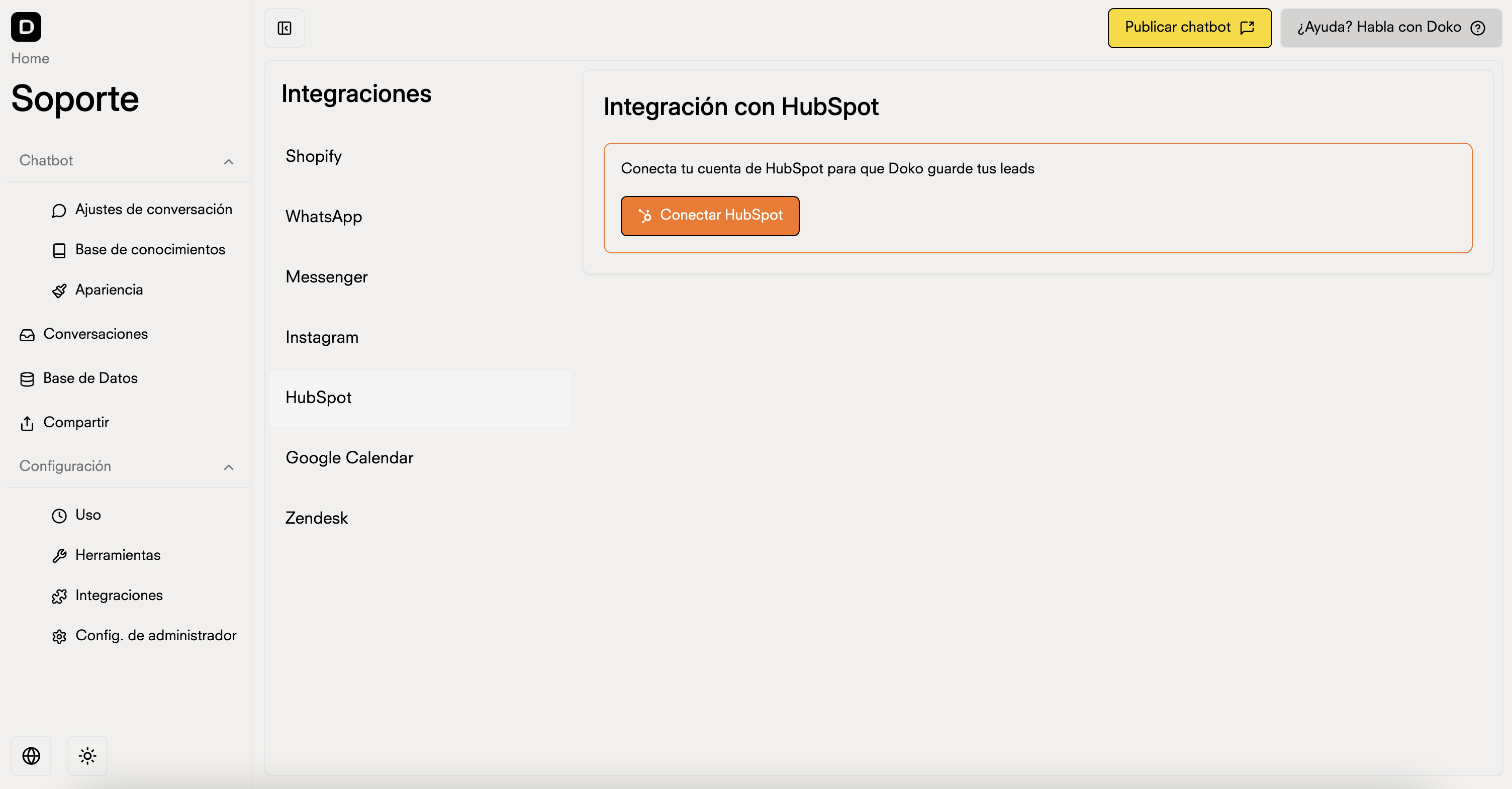
    <h3>Ingresa en Configuración>Integraciones en el portal de tu chatbot y selecciona HubSpot</h3>

    <Frame>
      <img src="https://mintcdn.com/doko/pKbjWpjWFDIh-Q-V/images/integracion-hubspot.png?fit=max&auto=format&n=pKbjWpjWFDIh-Q-V&q=85&s=63c0bcc459418bb279cebcaf1dce2515" alt="Integrations" width="3008" height="1570" data-path="images/integracion-hubspot.png" />
    </Frame>
  </Step>

  <Step>
    <h3>Presiona en Conectar</h3>

    <Frame>
      <img src="https://mintcdn.com/doko/wNz10e2dI8HDdsq4/images/boton-hubspot.png?fit=max&auto=format&n=wNz10e2dI8HDdsq4&q=85&s=0399b1ee63e58186491faa28179e5987" alt="Conectar" width="1120" height="312" data-path="images/boton-hubspot.png" />
    </Frame>
  </Step>

  <Step>
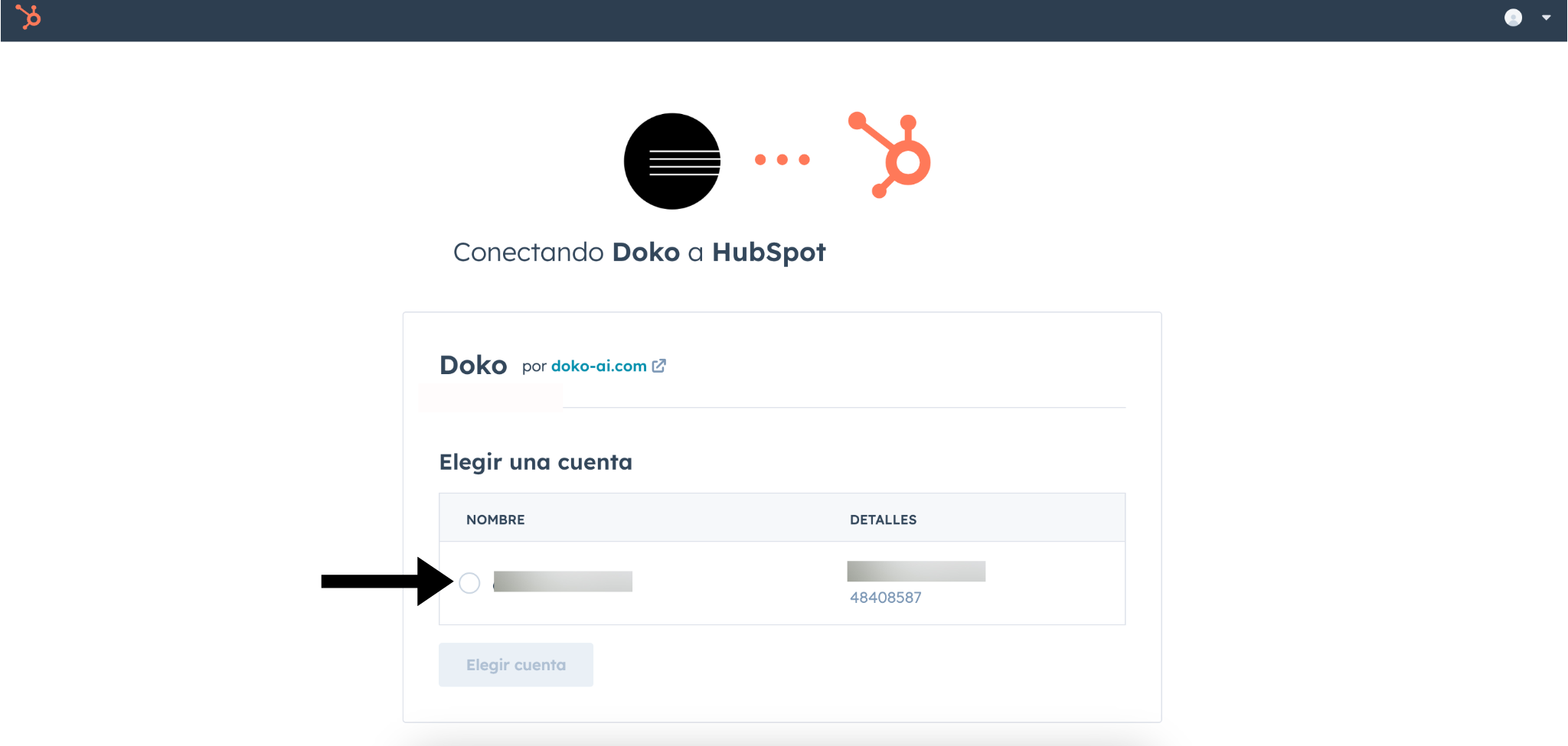
    <h3>Conecta la app de Doko con tu cuenta de HubSpot</h3>

    <Frame>
      <img src="https://mintcdn.com/doko/pKbjWpjWFDIh-Q-V/images/hubspot-conect.png?fit=max&auto=format&n=pKbjWpjWFDIh-Q-V&q=85&s=c68c52cf68447295ab1ca60f12ea1230" alt="Conectar" width="2048" height="975" data-path="images/hubspot-conect.png" />
    </Frame>
  </Step>

  <Step>
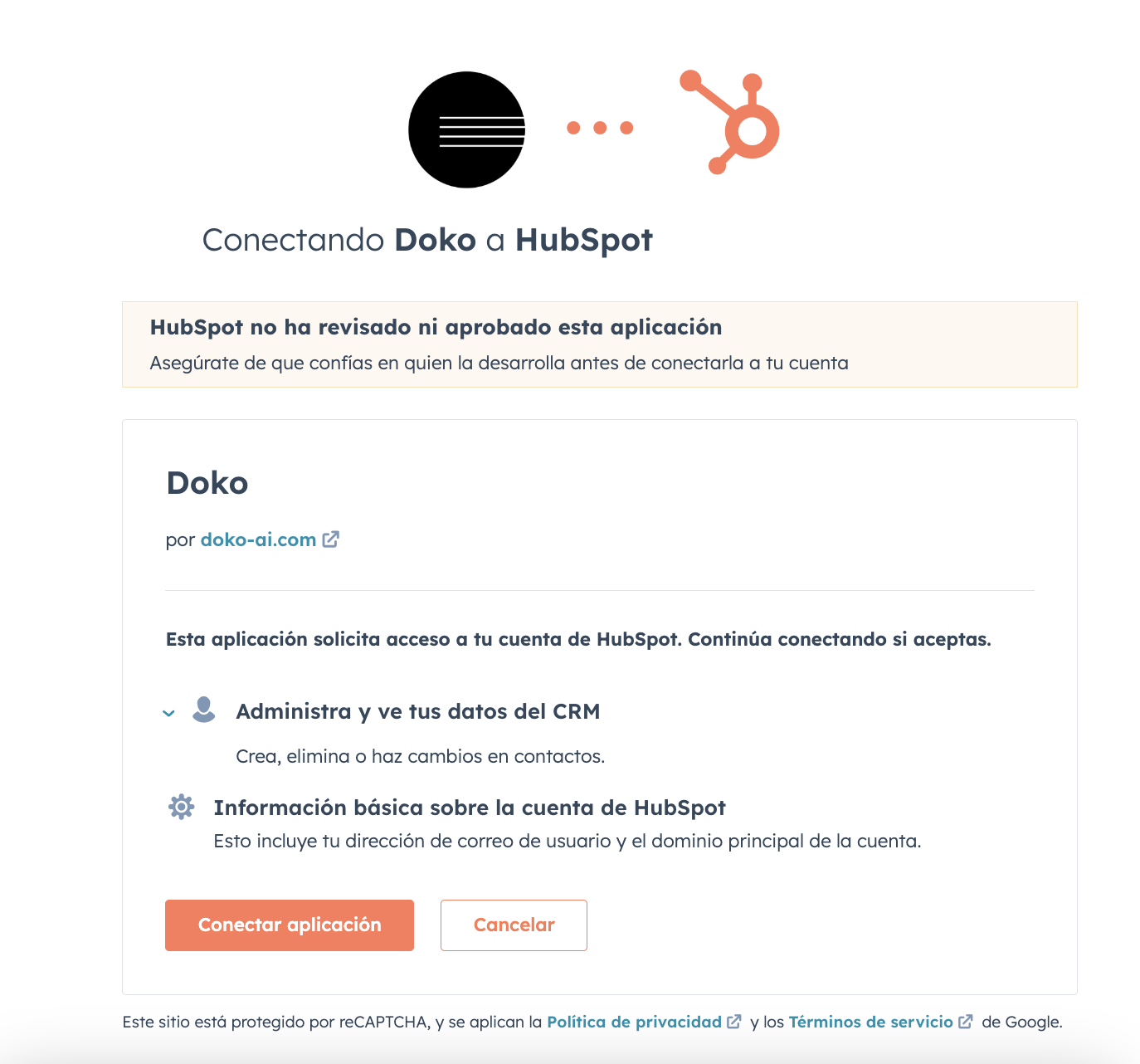
    <h3>Da los permisos necesarios para que Doko pueda acceder a tu cuenta de HubSpot</h3>

    <Frame>
      <img src="https://mintcdn.com/doko/-p4Q5Mr8bh5M5OS8/images/permisos-hubspot.png?fit=max&auto=format&n=-p4Q5Mr8bh5M5OS8&q=85&s=cde68e5d5ed058a284a1dac835bf4d73" alt="Permisos" width="1374" height="1282" data-path="images/permisos-hubspot.png" />
    </Frame>
  </Step>

  <Step>
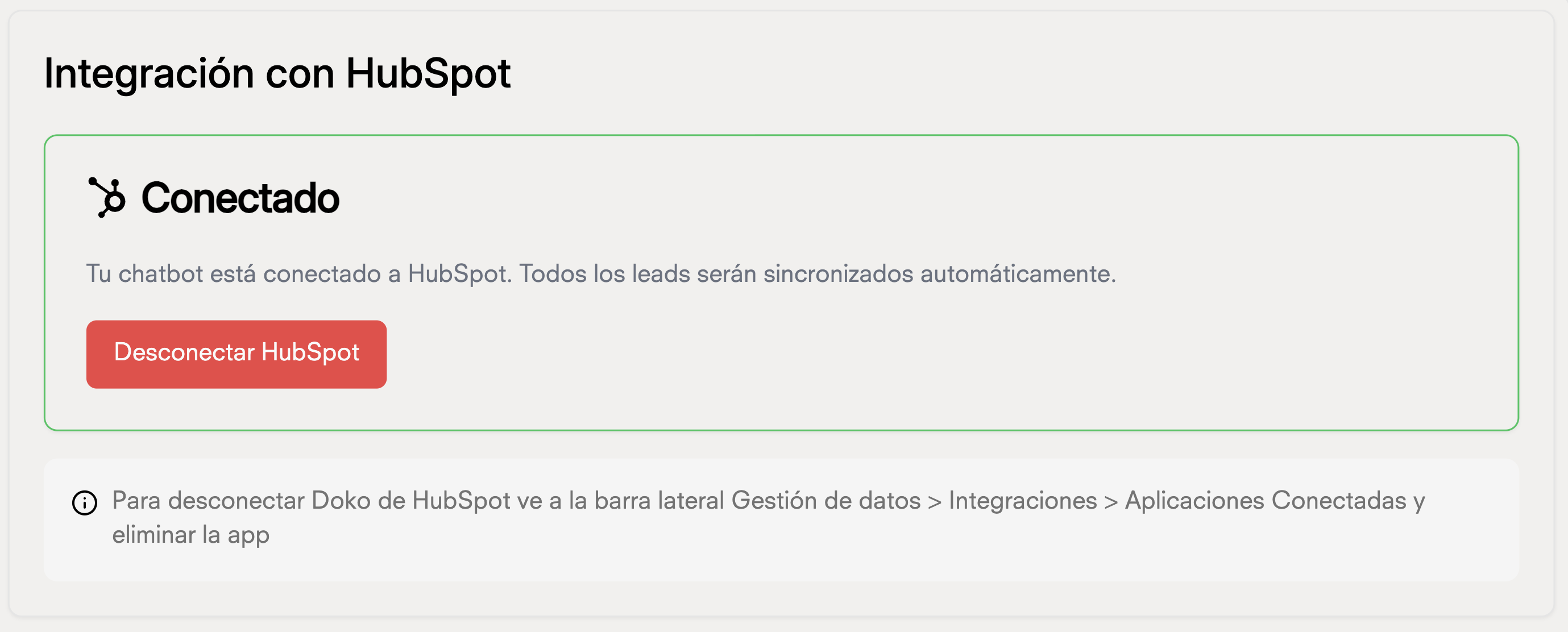
    <h3>Listo! Tu chatbot ya puede guardar leads en tu cuenta de HubSpot </h3>
    <Frame>
      <img src="https://mintcdn.com/doko/pKbjWpjWFDIh-Q-V/images/hubspot-done.png?fit=max&auto=format&n=pKbjWpjWFDIh-Q-V&q=85&s=f478a9591d87ecb566a64eed2542cfd5" alt="Habla Bot" width="2758" height="1112" data-path="images/hubspot-done.png" />
    </Frame>
  </Step>
</Steps>

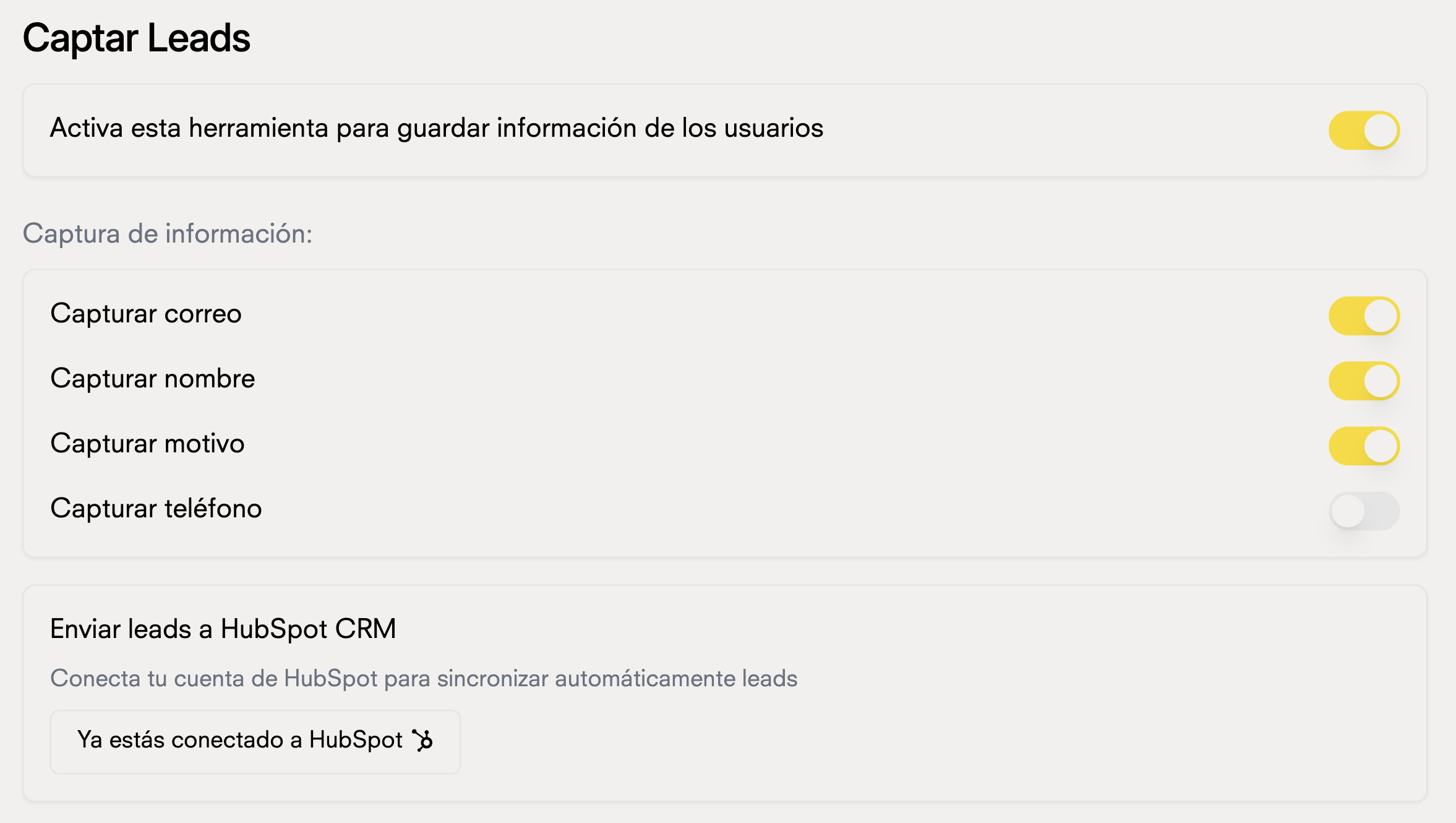
## Herramienta captar leads

### Ahora que tengas tu chatbot conectado a HubSpot, puedes usar la herramienta de captura de leads para enivar tus leads a tu CRM.
<Frame>
  <img src="https://mintcdn.com/doko/wNz10e2dI8HDdsq4/images/captar-leads.png?fit=max&auto=format&n=wNz10e2dI8HDdsq4&q=85&s=736569a5a6090688b3d13327395d536c" alt="Captura de leads" width="2354" height="1330" data-path="images/captar-leads.png" />
</Frame>