> ## Documentation Index
> Fetch the complete documentation index at: https://docs.doko-ai.com/llms.txt
> Use this file to discover all available pages before exploring further.

# Crea tu chatbot

> Crea tu chatbot en menos de 5 minutos

## ¿Cómo crear tu chatbot?

<Steps>
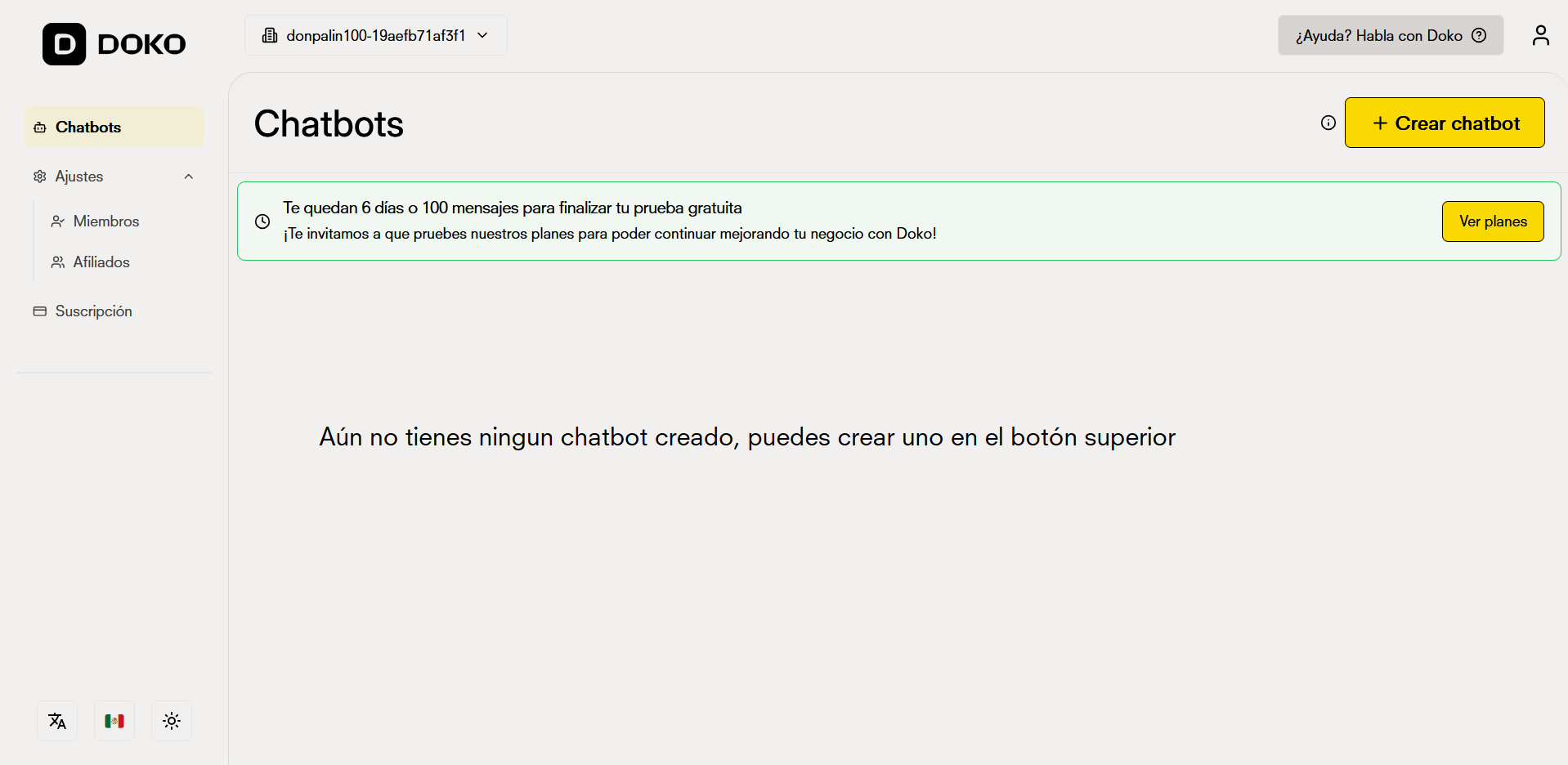
  <Step title="Accede a tu panel de control">
    Haz clic en el botón 'Crear Chatbot' ubicado en la esquina superior derecha de tu panel.
    <Frame>
      <img src="https://mintcdn.com/doko/QBTK_ZdFW9dO1vuO/images/quickstart/es/dashboard.png?fit=max&auto=format&n=QBTK_ZdFW9dO1vuO&q=85&s=f3f7974eb166861f68f3260e42064276" alt="Dashboard" width="1918" height="936" data-path="images/quickstart/es/dashboard.png" />
    </Frame>
  </Step>

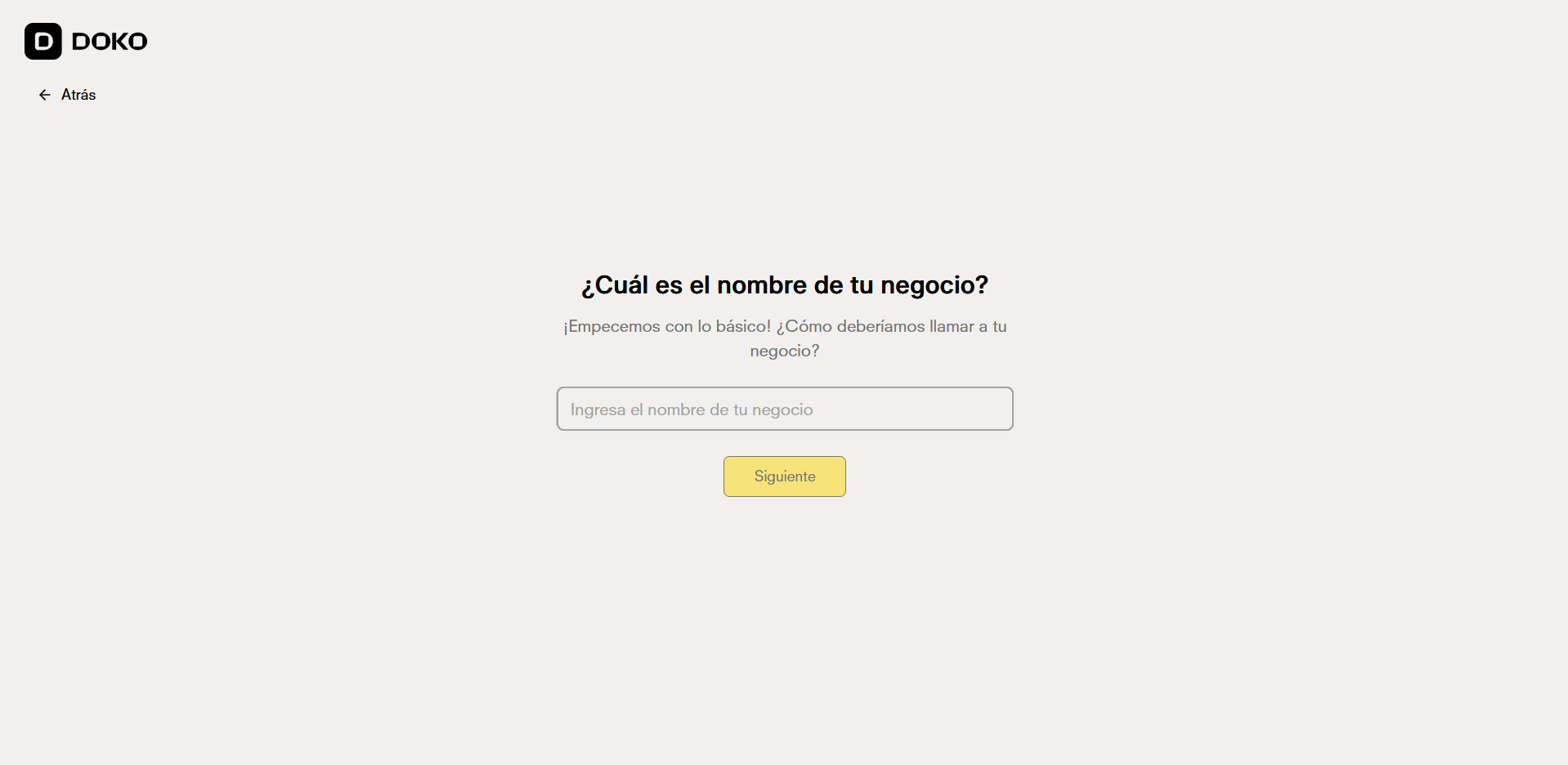
  <Step title="Habla con el asistente de creación de chatbots">
    Indica el nombre de tu empresa para que coincida con el nombre de tu chatbot.
    <Frame>
      <img src="https://mintcdn.com/doko/QBTK_ZdFW9dO1vuO/images/quickstart/es/nombre.png?fit=max&auto=format&n=QBTK_ZdFW9dO1vuO&q=85&s=6d23827147a3fe771799ddf368c4f806" alt="Asistente de creación" width="1918" height="936" data-path="images/quickstart/es/nombre.png" />
    </Frame>
  </Step>

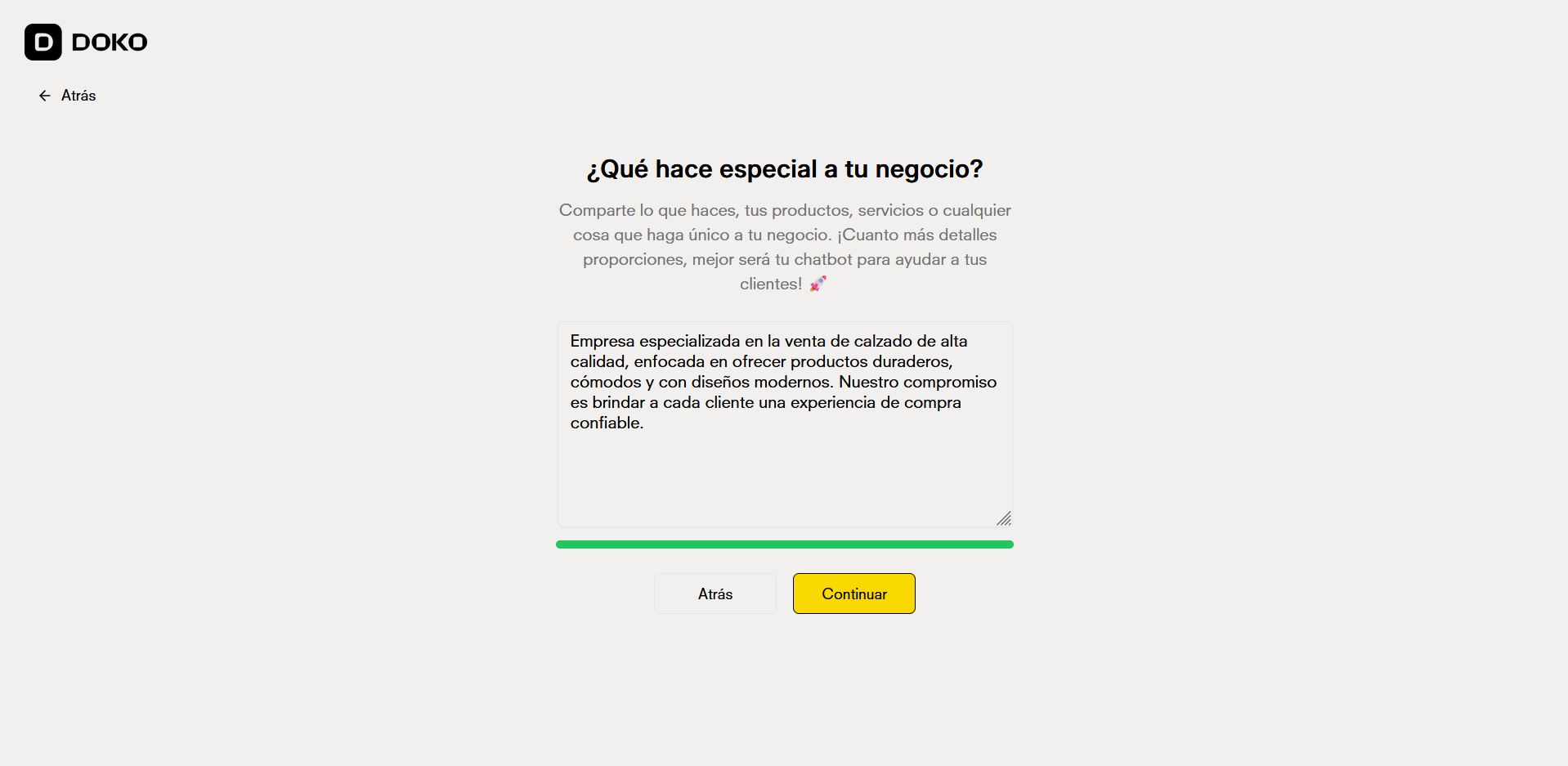
  <Step title="Describe tu negocio">
    Cuéntale al asistente sobre tu negocio para que pueda configurar tu chatbot adecuadamente.
    <Frame>
      <img src="https://mintcdn.com/doko/QBTK_ZdFW9dO1vuO/images/quickstart/es/descripcion.png?fit=max&auto=format&n=QBTK_ZdFW9dO1vuO&q=85&s=0471f4e87eb6b60ccf6411fabdc50968" alt="Describe tu negocio" width="1918" height="937" data-path="images/quickstart/es/descripcion.png" />
    </Frame>
  </Step>

  <Step title="Creando el chatbot">
    Espera solo unos segundos para que el asistente cree tu chatbot correctamente.

    Cuando se cree se te redijira automáticamente a tu nuevo bot.

    <Frame>
      <img src="https://mintcdn.com/doko/VTiGZw04xsWB5G5s/images/quickstart/es/creando.png?fit=max&auto=format&n=VTiGZw04xsWB5G5s&q=85&s=cf0683d43ef96adbb3486454b612c27c" alt="Nombre del chatbot" width="1918" height="937" data-path="images/quickstart/es/creando.png" />
    </Frame>
  </Step>
</Steps>

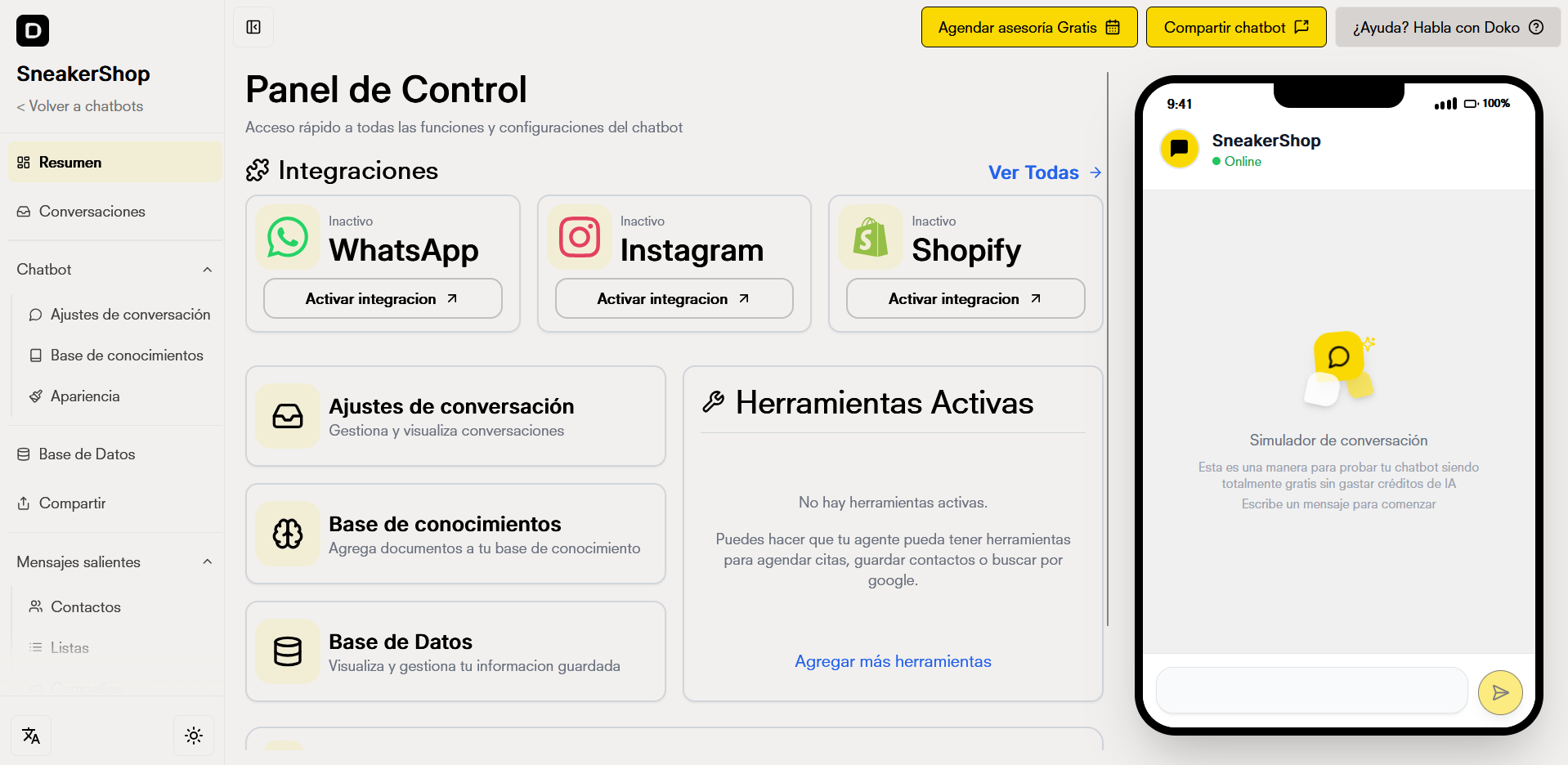
## Accede a tu panel de control

Accede a tu panel de chatbot y edita los parámetros de tu chatbot.
<Frame>
  <img src="https://mintcdn.com/doko/s8RcezwU1knfCCuJ/images/quickstart/es/panel.png?fit=max&auto=format&n=s8RcezwU1knfCCuJ&q=85&s=8044b822bcdc9a2d429c1262f5e5e5f8" alt="Nuevo Dashboard" width="1918" height="936" data-path="images/quickstart/es/panel.png" />
</Frame>
