

Custom Tool (API)
With this tool you can enable your bot to use any API endpoint as you want.
Set your tool
1
Create New Tool
Click the “Create Tool” button to start configuring your custom tool.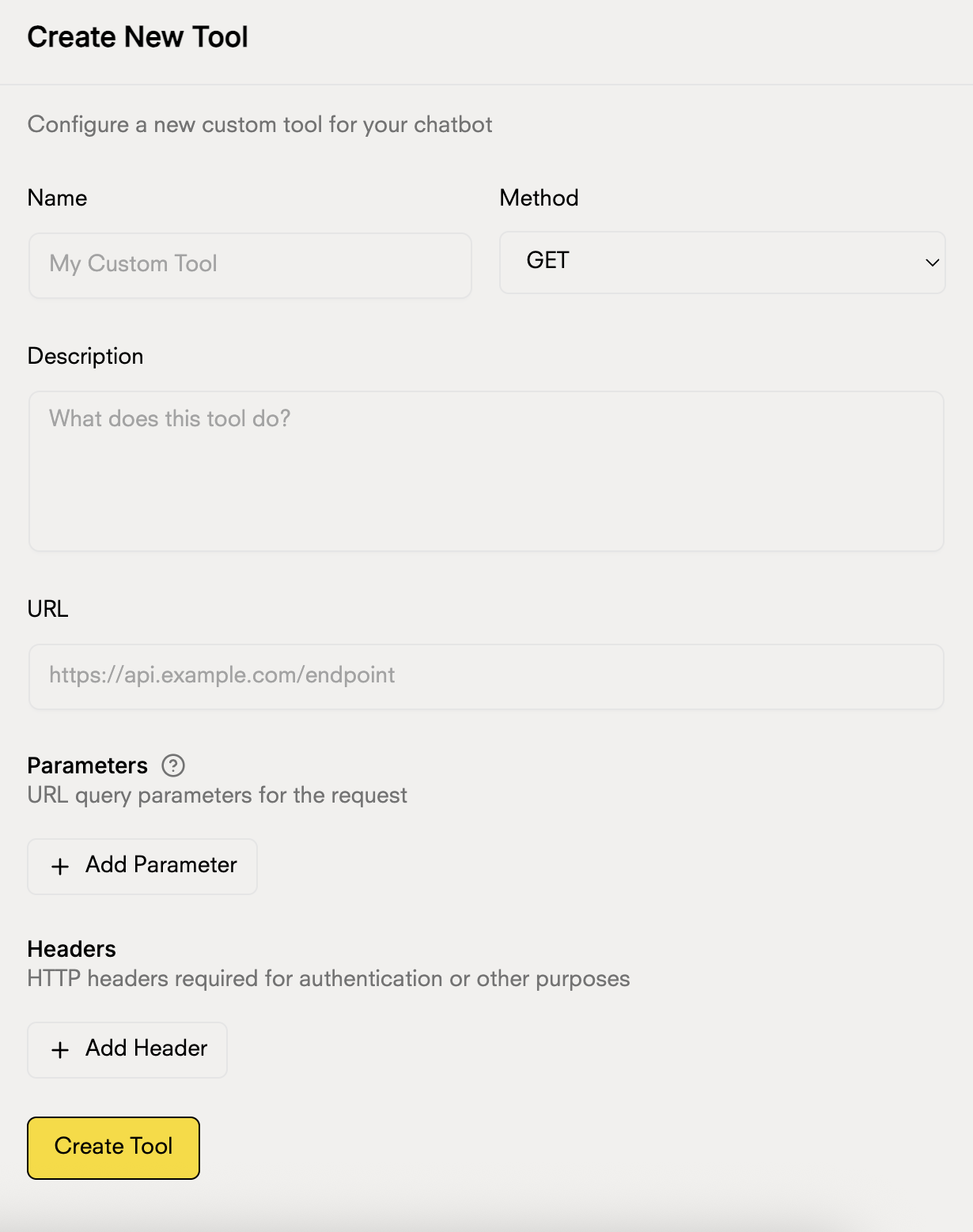
2
Configure Basic Information
Complete the main fields of your tool:
- Name: Give your tool a descriptive name
- Method: Select the HTTP method (GET, POST, PUT, DELETE)
- Description: Explain what this tool does so the chatbot knows when to use it
- URL: Enter the URL of your API endpoint
3
Configure Body (for POST, PUT, DELETE)
If you selected POST, PUT, or DELETE, you can configure the fields of the request body:For each body field, you can configure:
- Name: The name of the field (e.g., userData, user_data, items)
- Type: The data type (String, Number, Boolean, etc.)
- Is an Array: Check this option if the field should be an array
- Description: Explain what information this field contains
- Simple field:
name(String) - To send a username - Array field:
products(String, Is an array ✓) - To send a list of products - Numeric field:
quantity(Number) - To send quantities - Boolean field:
active(Boolean) - To indicate if a user is active - Object field:
address(Object) - To send a user’s full address
The body is only necessary for POST, PUT, and DELETE methods. GET does not use a body.
4
Add Parameters (Optional)
If your API requires query parameters, click “Add Parameter” and configure:
- Parameter name
- Data type
- Whether it is required or optional
Parameters are sent as query strings in the URL
5
Configure Headers (Optional)
For APIs that require authentication or specific headers, click “Add Header”:
- Header name (e.g., Authorization, Content-Type)
- Header value (e.g., Bearer token, application/json)
6
Save Tool
Once the configuration is complete, click “Create Tool” to save and activate your custom tool.
Usage Examples
Weather API
Weather API
Name: Weather Query
Method: GET
URL:
Parameters:
Method: GET
URL:
https://api.openweathermap.org/data/2.5/weatherParameters:
q(city)appid(your API key)units(metric)
Inventory API
Inventory API
Name: Stock Query
Method: GET
URL:
Headers:
Method: GET
URL:
https://your-api.com/inventory/checkHeaders:
Authorization:Bearer your-tokenContent-Type:application/json